

According to Gartner, unstructured data accounts for 80-90% of newly generated data in enterprises, creating challenges in data management, decision-making, and cost control.
So, what if an automated task force does all for you? Intelligent Document Processing (IDP) addresses these issues by leveraging AI to automate unstructured data extraction, classification, and analysis.
AWS simplifies the implementation of IDP through its services, such as Lambda, Textract, Comprehend, and Bedrock, which provide tools for creating scalable and efficient systems.
In this blog, we will discuss designing AWS-powered IDP solutions using these services to streamline document workflows, uncover insights, and enhance operational efficiency.
Why IDP Matters: Numbers Don’t Lie
Manually configuring documents is time-consuming and error-prone, so Intelligent Document Processing (IDP) is like having a digital assistant who efficiently and accurately manages all your paperwork.
Here is the icing on the cake: With machine learning, AWS IDP services like Textract and Comprehend continuously improve, becoming smarter and more accurate with every task.
According to a report by Fortune Business Insights, the market size of IDP was $5.89 billion in 2023.
By 2032, it is expected to grow to over $66 billion, a CAGR of 30.6% from its value of $7.89 billion in 2024, which reflects a degree of business reliance on automation to handle document processing.
Architectural Overview
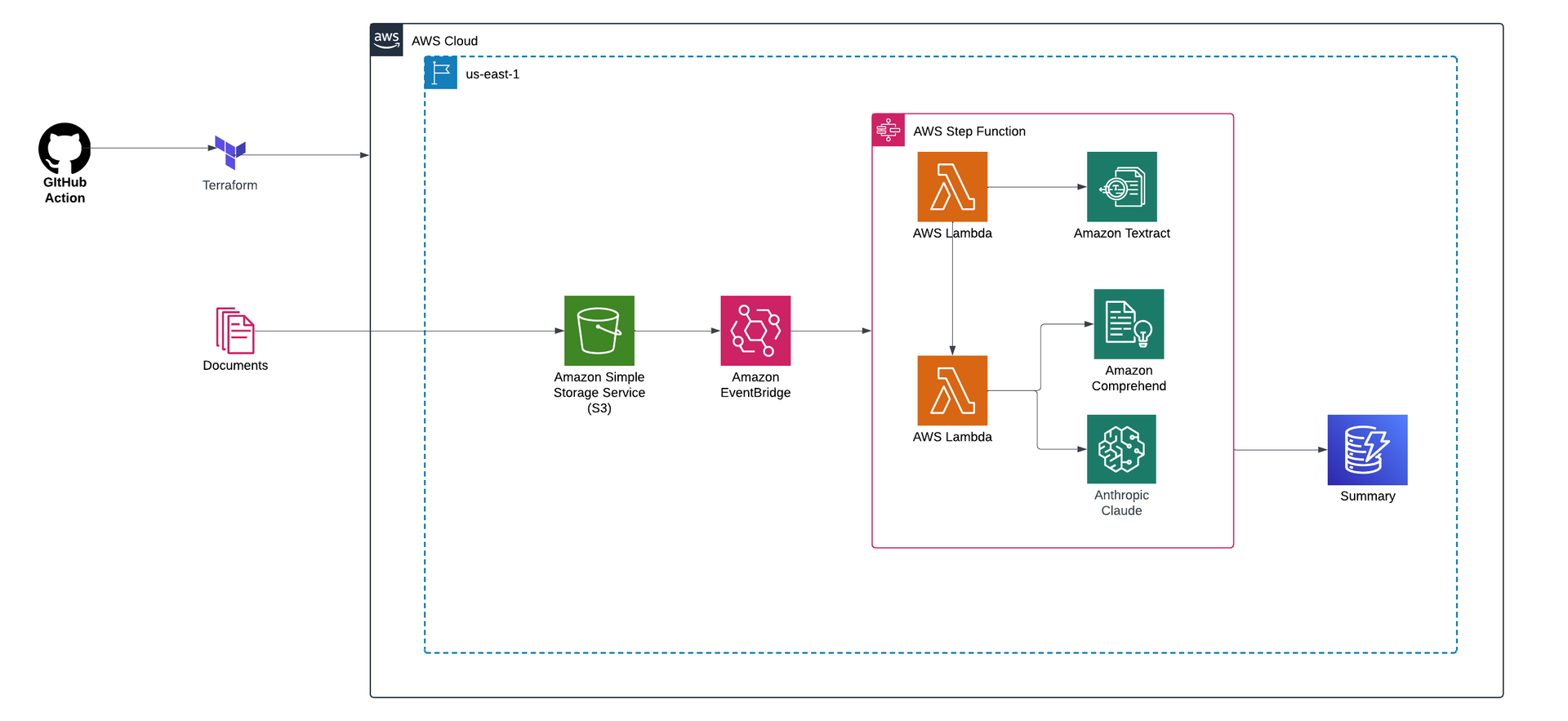
This project processes documents stored in Amazon S3 through an intelligent pipeline to automate data extraction and analysis. Key components include:
- Amazon Textract: A fully managed service that uses OCR and machine learning to extract text and structured data from documents.
- Amazon Comprehend: A natural language processing (NLP) service for enriching the data via a custom classification model.
- Anthropic Claude via AWS Bedrock: This is used to generate summaries and extract deeper insights.
- AWS Step Function: For orchestrating the workflow and ensuring seamless, serverless execution.
- AWS Lambda: Automates workflows by triggering functions to process workloads and ensure uninterrupted execution.
The processed insights and summaries are stored in S3, making the results accessible. This solution streamlines document processing and adds significant value by turning raw data into actionable intelligence.
For a detailed guide on how the architecture works, visit the Intelligent Document Processing on AWS documentation.
End-to-End Workflow of Intelligent Document Processing Using AWS Services
Step 1: Document Ingestion
First, you will need to ingest documents into Amazon S3, which serves as the central storage for both raw and processed files.
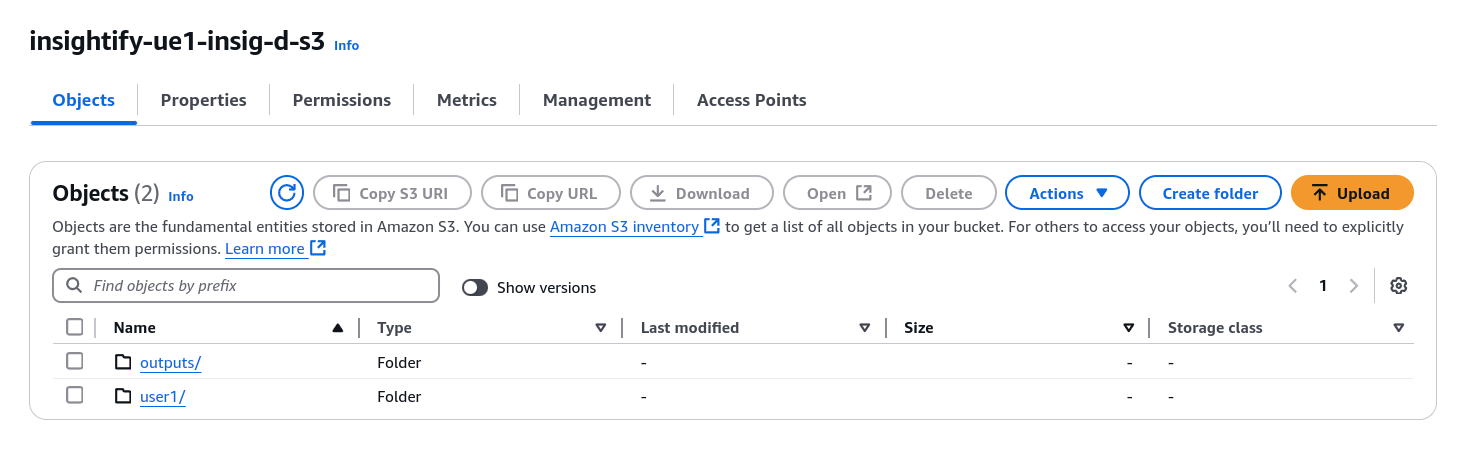
The two main methods for document ingestion are via AWS Transfer Family and Amazon SES (Simple Email Service).
1) AWS Transfer Family
To begin, set up a server using AWS Transfer Family, which will serve as the place where documents are uploaded. You can choose between protocols such as SFTP for secure transfers.
- Check the following link to set up the SFTP server using the AWS Transfer family.
- Once the server is set up, configure IAM user roles to control access and securely manage document transfers via SFTP.
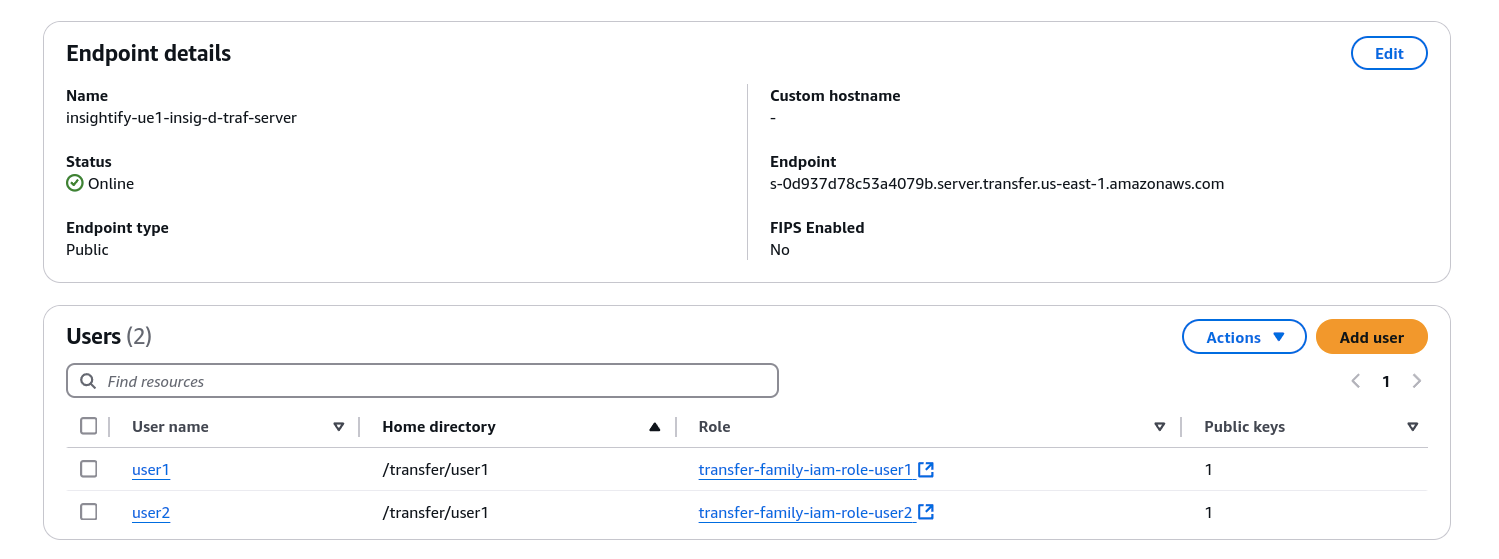
- You can then automate the upload of files directly into Amazon S3.
sftp -i /path_to_private_key user_name@server_endpoint
cd /s3_bucket_name/directory
put doc_name
2) Amazon SES (Simple Email Service)
In addition to direct file transfers, documents can be ingested via email using Amazon SES.
You need to do the following:
- Before receiving emails, you must verify the email addresses or domains using SES.
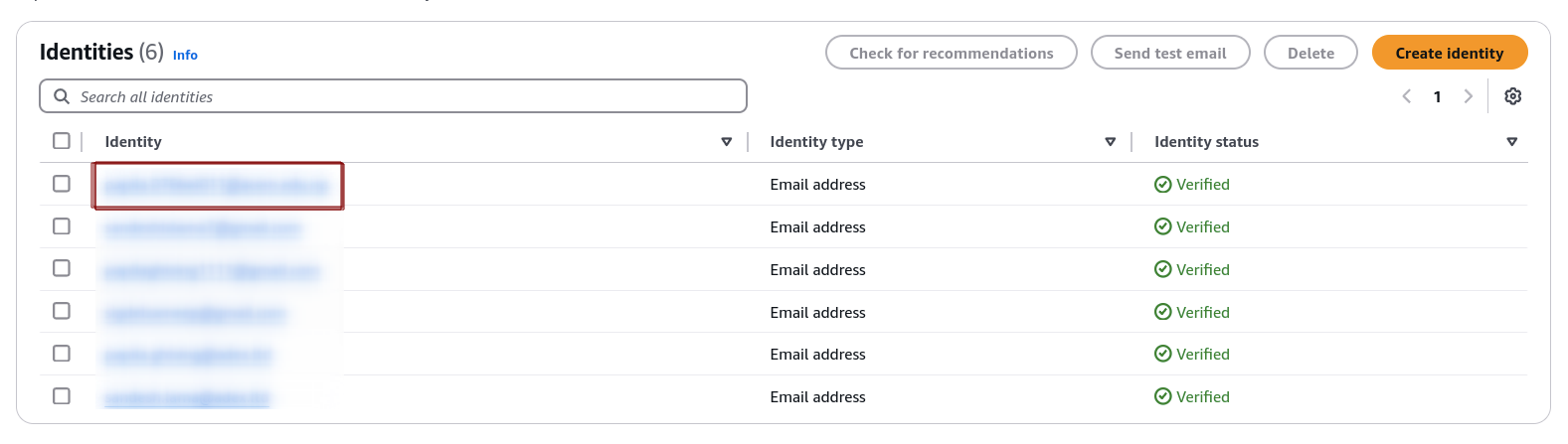
- Configure email-receiving rule sets in SES to automatically direct emails to an S3 bucket.
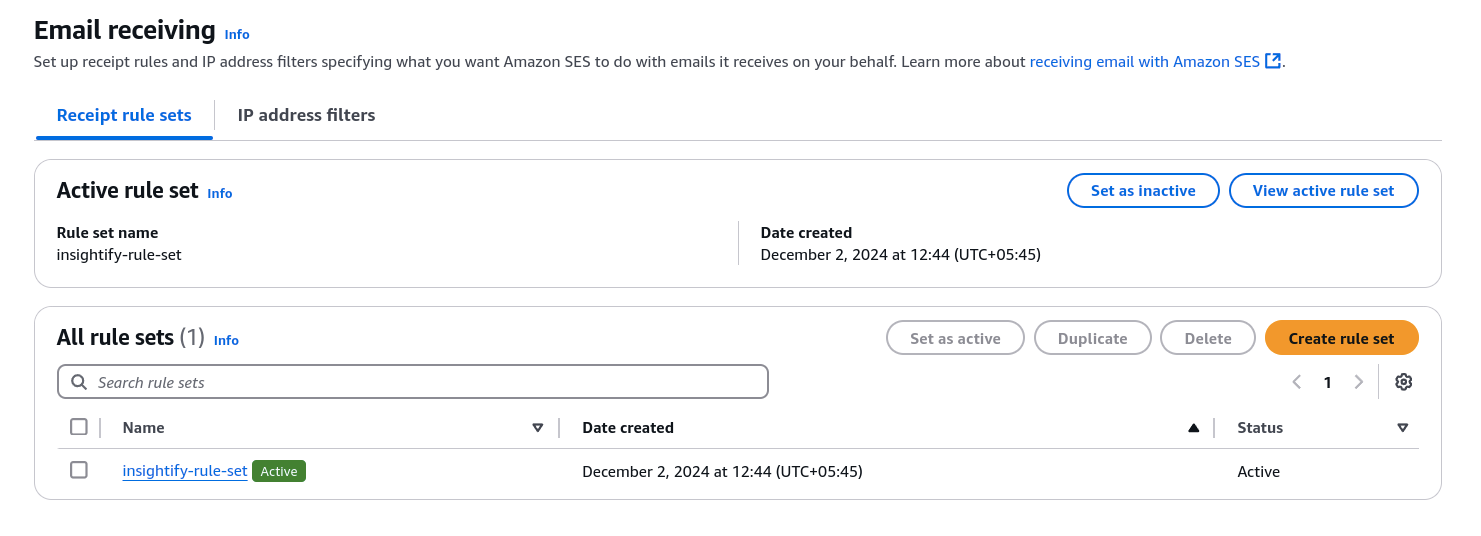
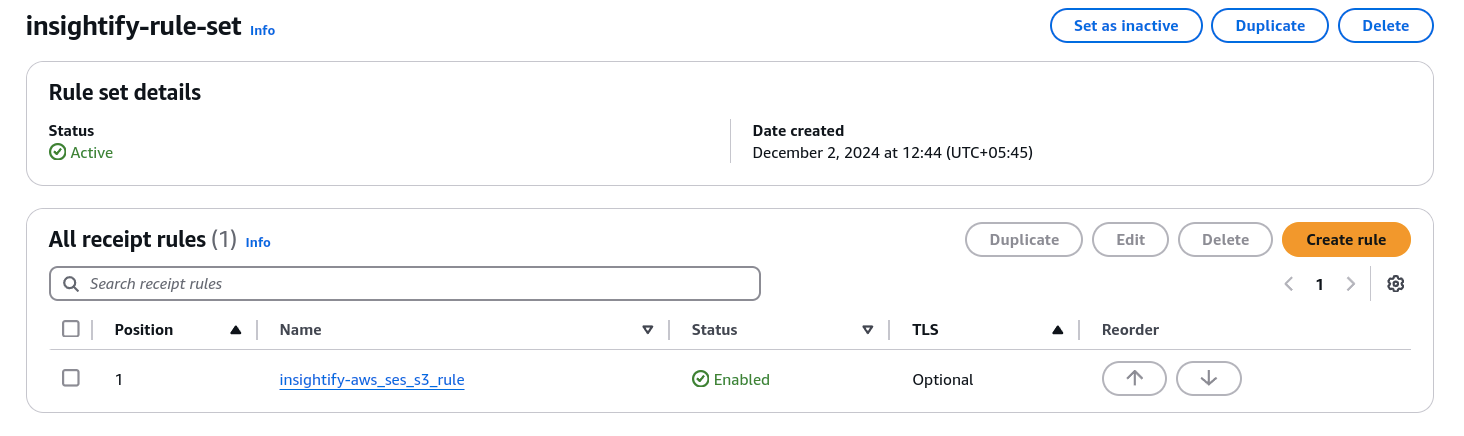
- The above configurations ensure email attachments are extracted and saved directly into the S3 bucket using the email-to-S3 automation.
- Once the email attachment is saved, the workflow is triggered.
Step 2: Triggering the Workflow
After successfully ingesting documents, the document processing workflow is triggered with the following:
- S3 Event Notifications are configured to send event notifications automatically. They notify EventBridge every time a document is uploaded.

- EventBridge detects when a file is uploaded to S3 and triggers a Step Functions state machine to start the document processing pipeline.
Here is the official guide on how to use Amazon S3 Event notifications with Amazon EventBridge.
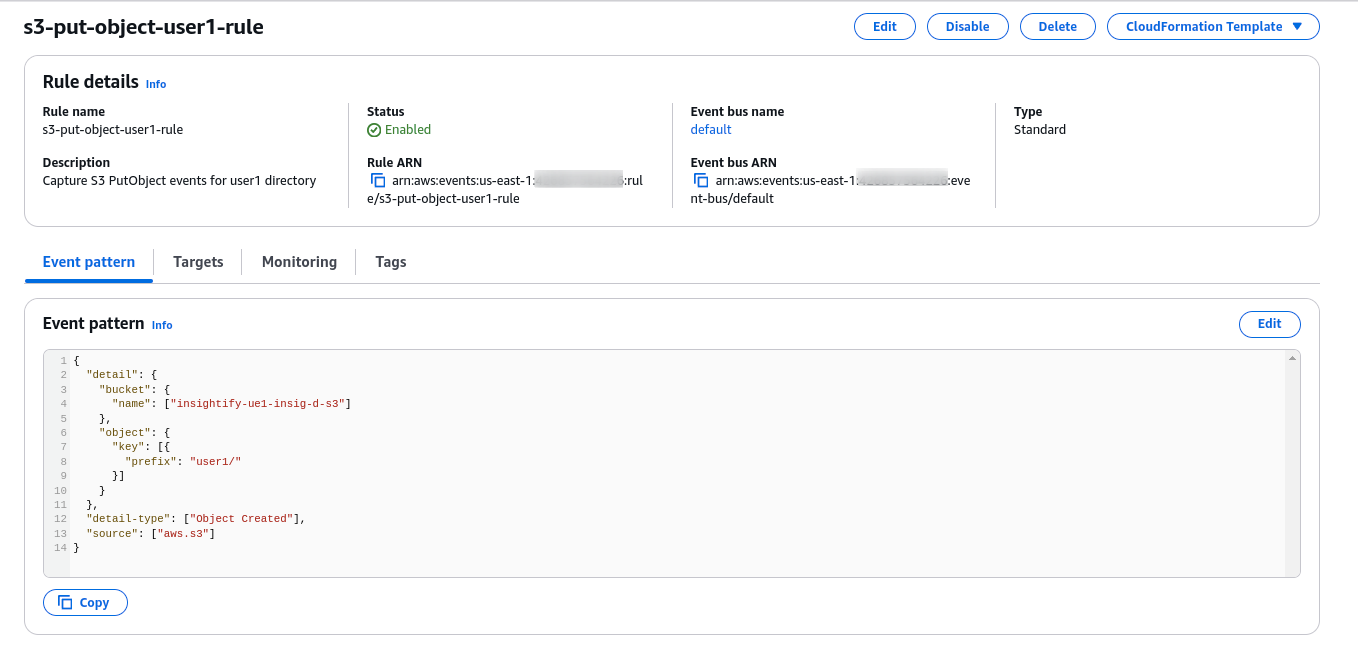
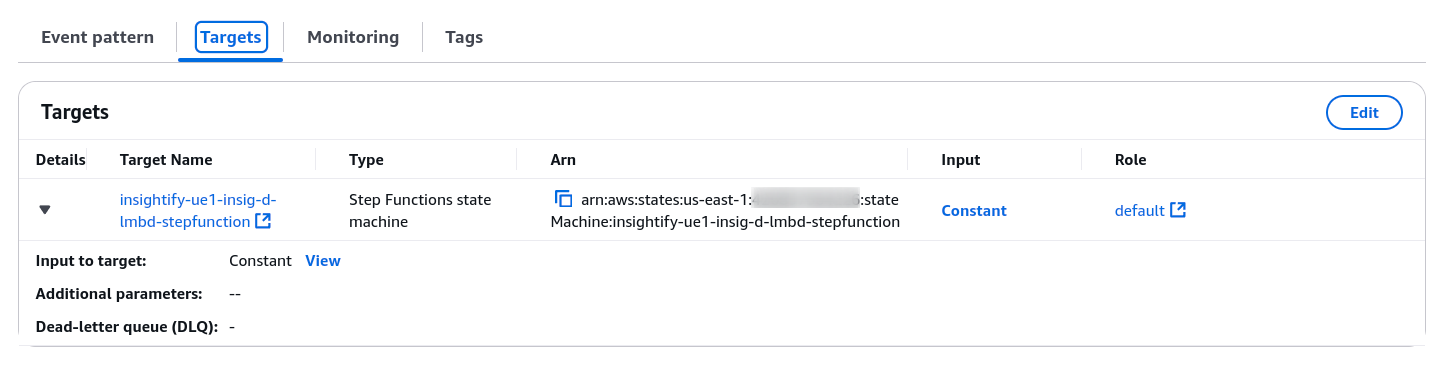
- The Step function triggers the AWS Lambda function, initiating the IDP workflow for further extraction and analysis.
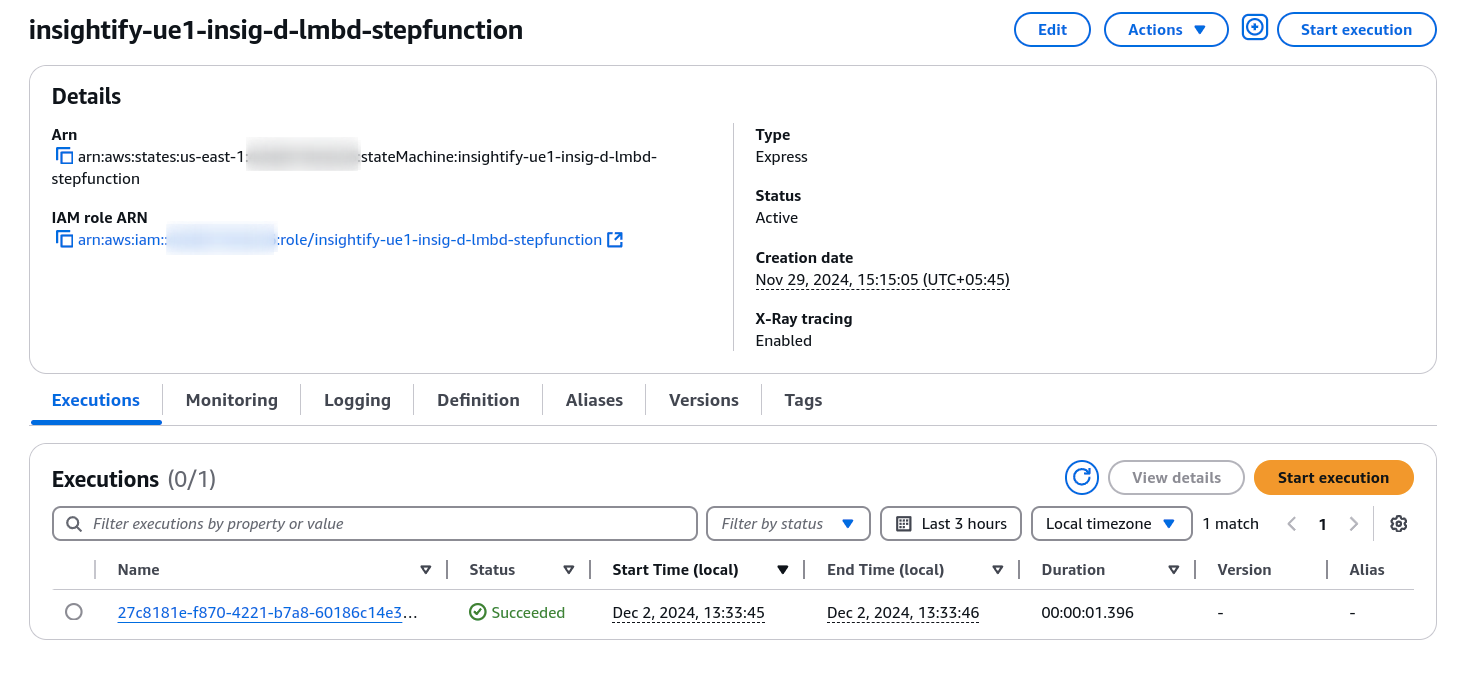
Step 3: Serverless Orchestration with AWS Lambda
AWS Step Functions orchestrate, while AWS Lambda functions handle the actual processing. The Step Functions workflow divides the document processing into two parallel Lambda executions:
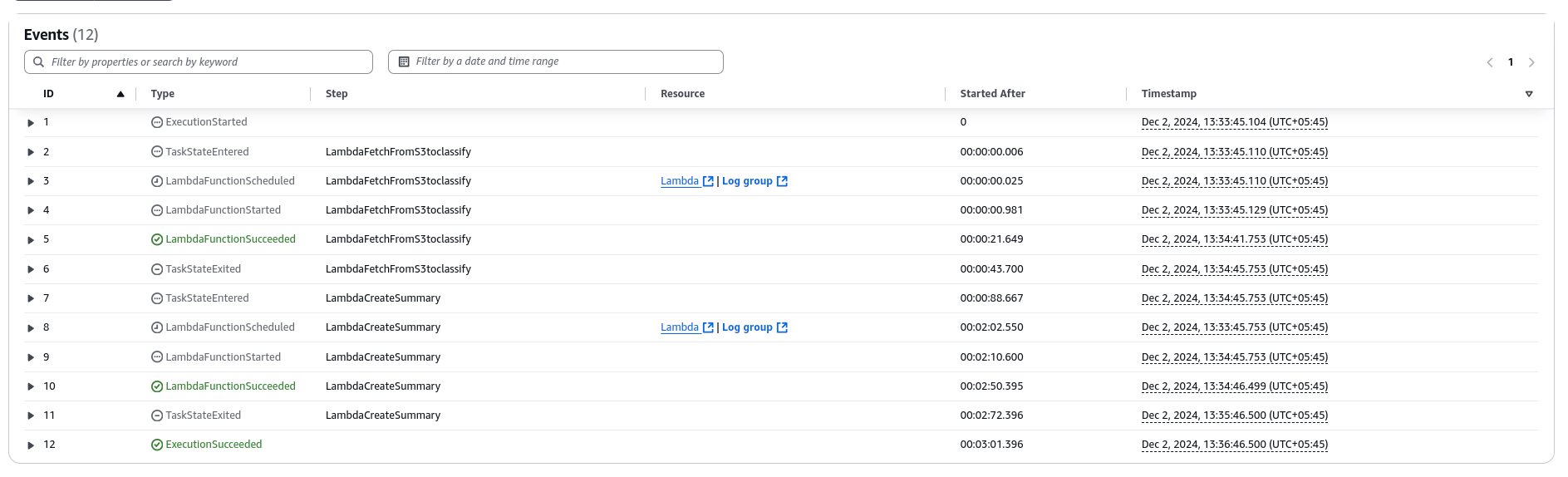
1) Summarization
- Lambda Function 1 invokes Amazon Textract to extract text from the document.
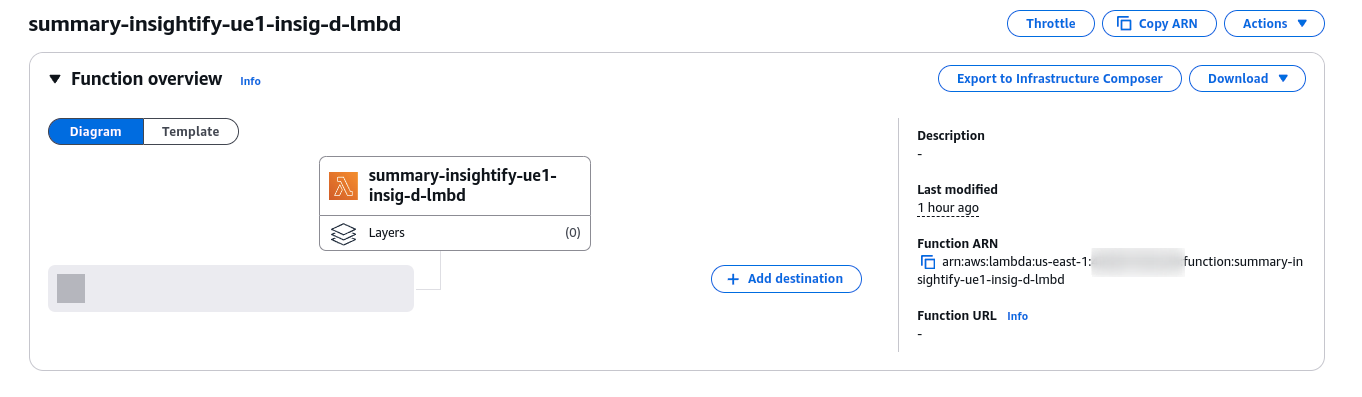
- The text is then passed to Amazon Bedrock (Claude model) for summarization.
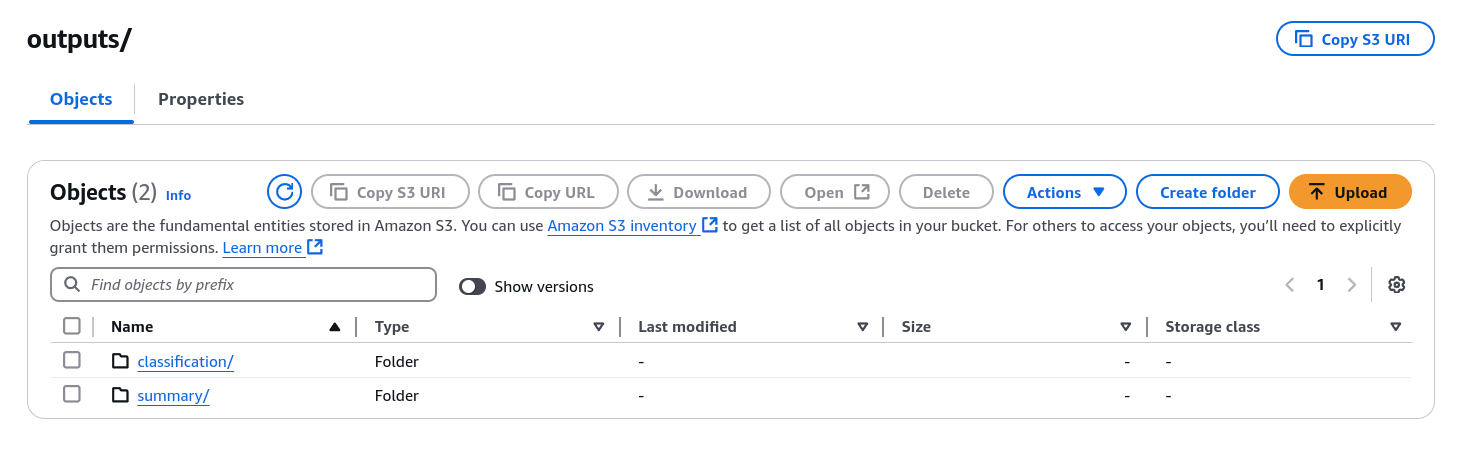
- The summarized content is saved in S3 under the outputs/summary/ folder.
2) Classification
- In parallel, Lambda Function 2 uses Amazon Comprehend for custom classification of the text.
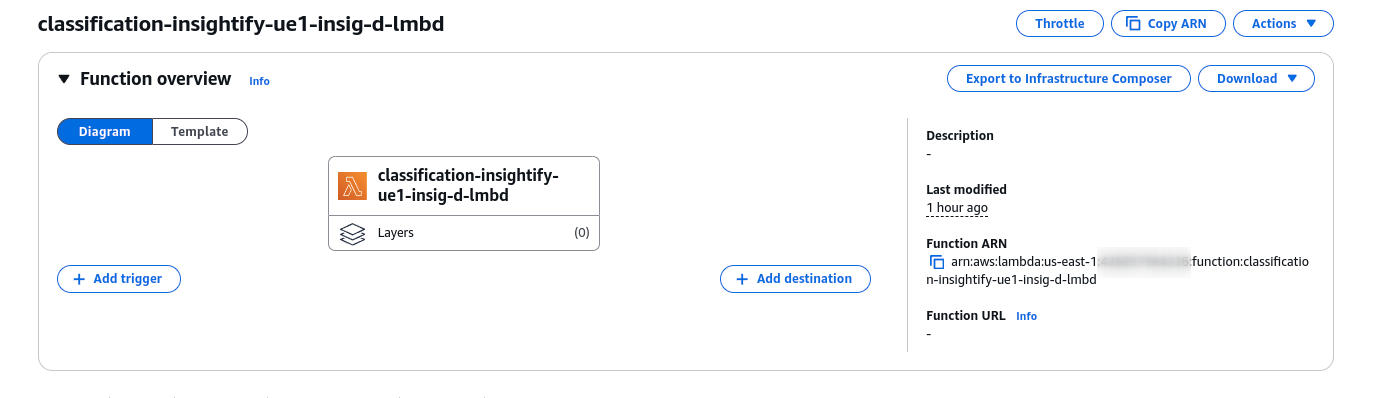
- Based on the content, the document is labeled with categories (e.g., “Invoices,” “passport”).
- Classification results are stored in S3 under the outputs/classification/ folder.
Custom Classification with Amazon Comprehend
Amazon Comprehend’s Custom Classification uses trained models to categorize documents or text based on specific business needs, adding structure and context to the content.
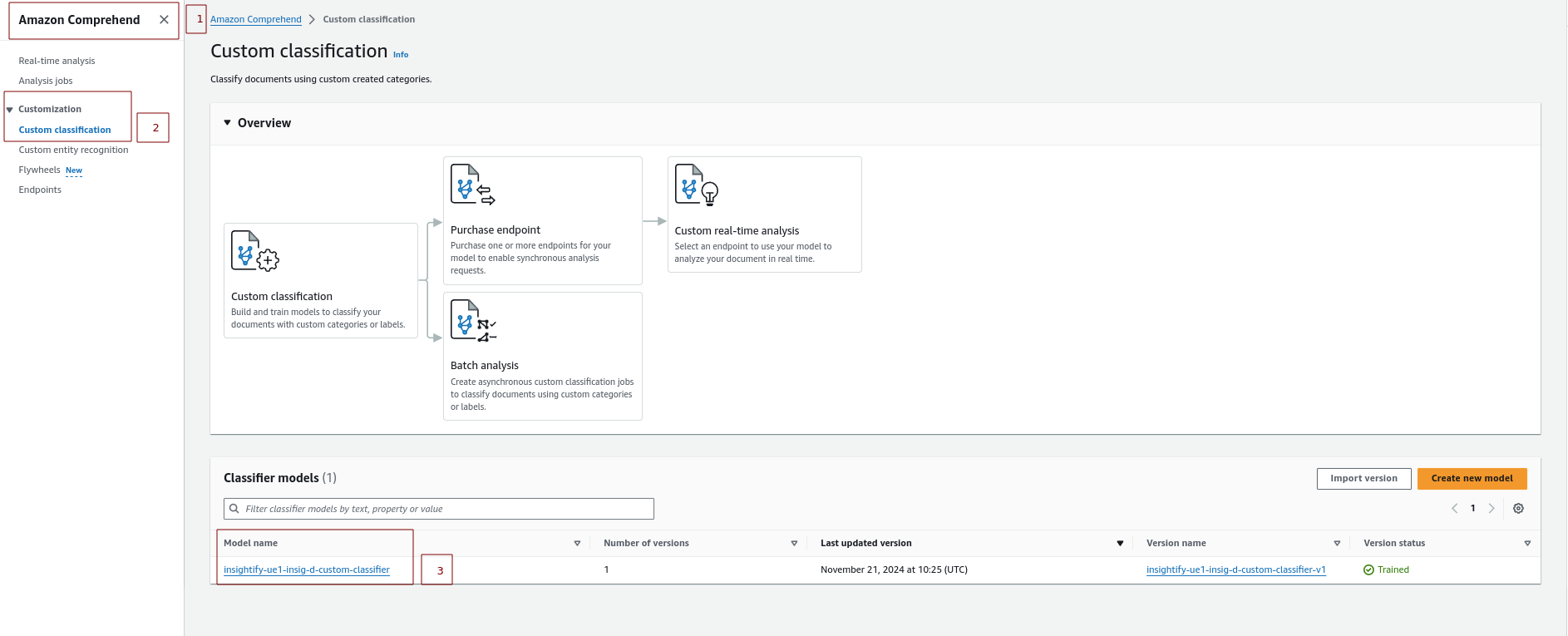
Here is the workflow for Custom Classification:
- Training the Model: Upload labeled training data to Amazon S3 and train a custom classification model to categorize documents (e.g., invoices).
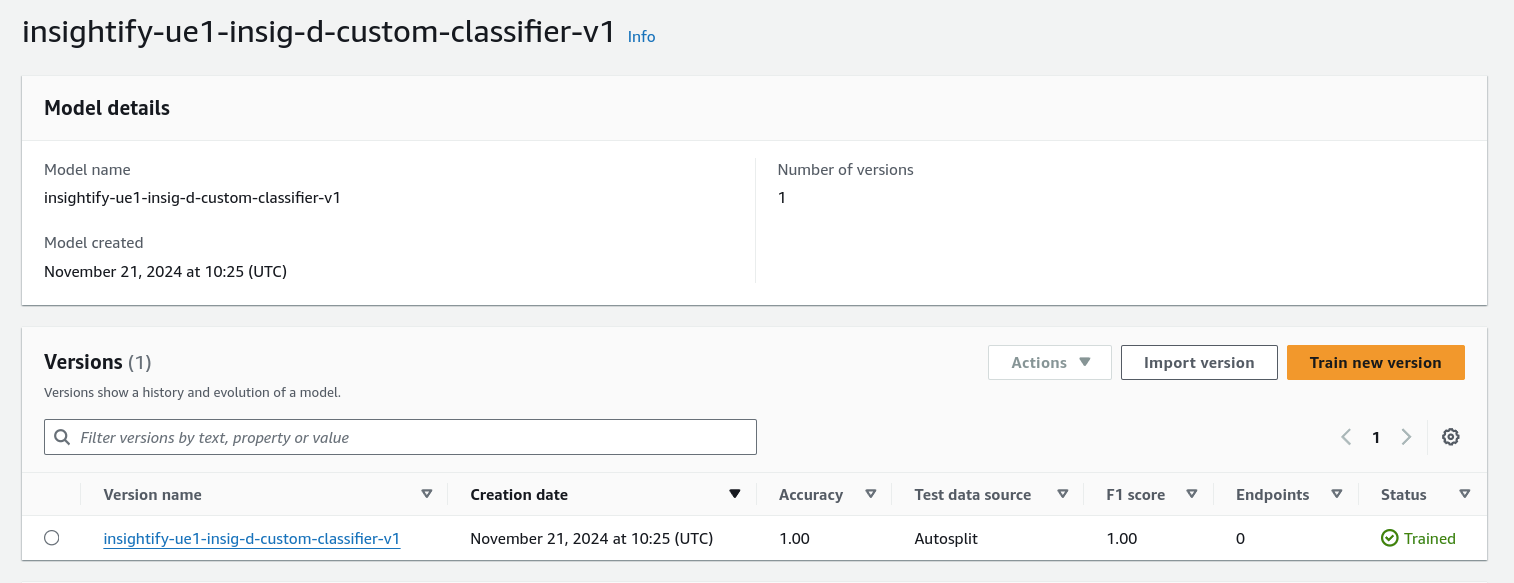
- Invoking Comprehend: The AWS Lambda function calls the Comprehend custom classification model to classify the documents.
Step 4: Text Extraction with Amazon Textract and Summarization with Anthropic Claude (AWS Bedrock)
After triggering the Lambda functions, Amazon Textract automatically detects and extracts text, tables, and forms from various document types, including PDFs and images.
- Lambda reads the document from the S3 bucket and calls the Amazon Textract API to analyze the document.
- Textract returns the extracted text in a JSON format.
Go through this documentation to learn more about Amazon Textract.
Step 5: Output Storage in Amazon S3
After processing, the results (summaries and classifications) are saved back into S3 for easy access and further use. The processed data is stored under different directories to separate raw and processed information.
Folder structure in S3
- Raw data are kept under the “user” directory.
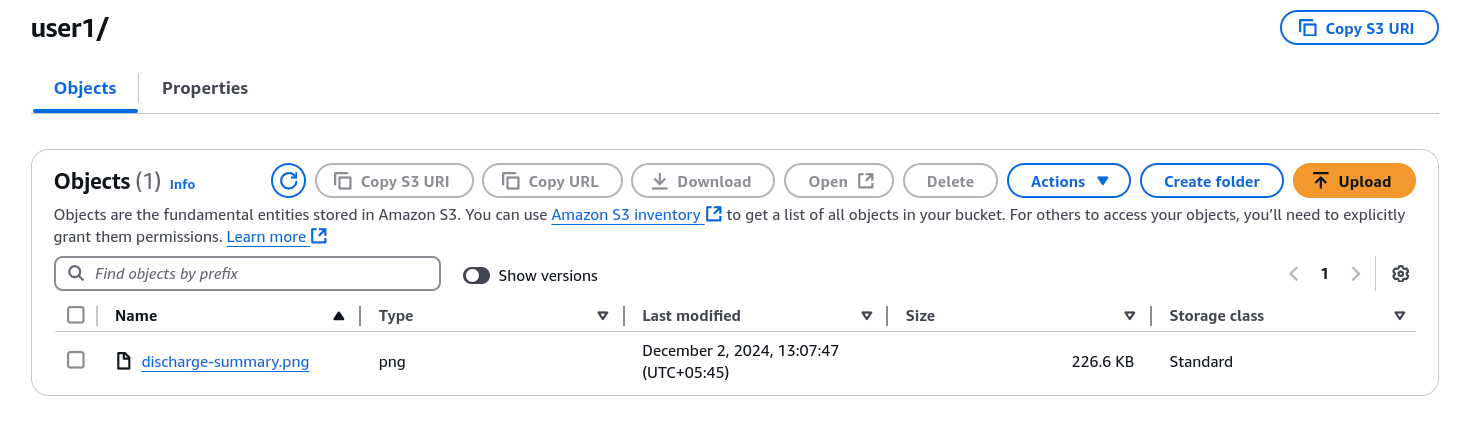
- Processed data (summaries, classifications) is stored under the “outputs” directory.
Implementation Details
Here’s a brief overview of the key Lambda function implementations involved in classification and summarization:
1) Step Function
definition_template = <<EOF
{
  "Comment": "Definition template for idp workflow",
  "StartAt": "LambdaFetchFromS3toclassify",
  "States": {
    "LambdaFetchFromS3toclassify": {
      "Type": "Task",
      "Resource": "${module.classification_lambda_function.lambda_function_arn}",
      "InputPath": "$",
      "Parameters": {
        "bucket": "$.bucket",
        "key": "$.key"
      },
      "Next": "LambdaCreateSummary"
    },
    "LambdaCreateSummary": {
      "Type": "Task",
      "Resource": "${module.summary_lambda_function.lambda_function_arn}",
      "InputPath": "$",
      "Parameters": {
        "bucket": "$.bucket",
        "key": "$.key"
      },
      "End": true
    }
  }
}
EOF
2) Classification Lambda Function
import boto3
import logging
import json
import urllib.parse

# Initialize AWS SDK clients
s3_client = boto3.client('s3')
comprehend_client = boto3.client('comprehend')

# Set up logging
logger = logging.getLogger()
logger.setLevel(logging.INFO)

def lambda_handler(event, context):
    """
    AWS Lambda handler function for document classification using Amazon Comprehend.
    """
    try:
        # Extract bucket name and object key from S3 event
        bucket = "bucket_name"
        key = urllib.parse.unquote(event['Records'][0]['s3']['object']['key'])  # URL-decode the key
        logger.info(f"Processing file {key} from bucket {bucket}")

        # Fetch the plain text file from S3
        response = s3_client.get_object(Bucket=bucket, Key=key)
        text_content = response['Body'].read().decode('utf-8')

        # Call Comprehend to classify the text using a custom classification model
        custom_model_arn = "custom_classifier_model_arn"

        comprehend_response = comprehend_client.classify_document(
            Text=text_content,
            EndpointArn=custom_model_arn
        )

        # Extract classification labels and scores
        classifications = comprehend_response.get('Classes', [])

        logger.info(f"Classification results: {classifications}")

        # Save the classification results back to S3
        classification_key = key.replace('extracted-text/', 'classified-text/').replace('.txt', '_classification.json')
        s3_client.put_object(
            Bucket=bucket,
            Key=classification_key,
            Body=json.dumps(classifications),
            ContentType='application/json'
        )
        logger.info(f"Classification results saved to {classification_key}")

        return {
            'statusCode': 200,
            'body': json.dumps(f"Classification results saved to {classification_key}")
        }

    except Exception as e:
        logger.error(f"Error processing file: {str(e)}")
        return {
            'statusCode': 500,
            'body': json.dumps('Error processing file')
        }
3) Summarization Lambda Function
import boto3
import logging
import json
import urllib.parse

# Initialize AWS SDK clients
s3_client = boto3.client('s3')
textract_client = boto3.client('textract')
bedrock_client = boto3.client('bedrock')

# Set up logging
logger = logging.getLogger()
logger.setLevel(logging.INFO)

def extract_text_from_textract(response):
    """
    Extracts text from Textract's JSON response and returns as plain text.
    """
    lines = []
    for block in response.get('Blocks', []):
        if block['BlockType'] == 'LINE':
            lines.append(block['Text'])
    return '\n'.join(lines)

def get_summary_from_bedrock(extracted_text):
    """
    Use Amazon Bedrock to summarize the extracted text.
    """
    try:
        response = bedrock_client.invoke_model(
            modelId="anthropic.claude-3-sonnet-20240229-v1:0",
            body={
                "prompt": f"Summarize the following document:\n{extracted_text}",
                "maxTokens": 200
            }
        )
        return response['body']
    except Exception as e:
        logger.error(f"Error summarizing text: {str(e)}")
        return "Error generating summary."

def lambda_handler(event, context):
    """
    AWS Lambda handler function.
    """
    try:
        # Extract bucket name and object key from the Step Function input
        bucket = event['bucket']
        key = urllib.parse.unquote(event['key'])
        logger.info(f"Processing file {key} from bucket {bucket}")

        # Fetch the document from S3
        response = s3_client.get_object(Bucket=bucket, Key=key)
        pdf_content = response['Body'].read()

        # Call Textract to analyze the document
        textract_response = textract_client.detect_document_text(
            Document={'Bytes': pdf_content}
        )

        # Extract plain text from Textract response
        extracted_text = extract_text_from_textract(textract_response)

        # Generate a summary using Bedrock (Claude model or other)
        summary_text = get_summary_from_bedrock(extracted_text)

        # Save the summary to S3
        summary_key = key.replace('.png', '_summary.txt')
        summary_key = f"extracted-text/{summary_key}"

        s3_client.put_object(
            Bucket=bucket,
            Key=summary_key,
            Body=summary_text,
            ContentType='text/plain'
        )
        logger.info(f"Summary saved to {summary_key}")

        return {
            'statusCode': 200,
            'body': json.dumps(f"Summary generated and saved to {summary_key}")
        }

    except Exception as e:
        logger.error(f"Error processing file: {str(e)}")
        return {
            'statusCode': 500,
            'body': json.dumps('Error processing file')
        }
Error Handling and Resilience
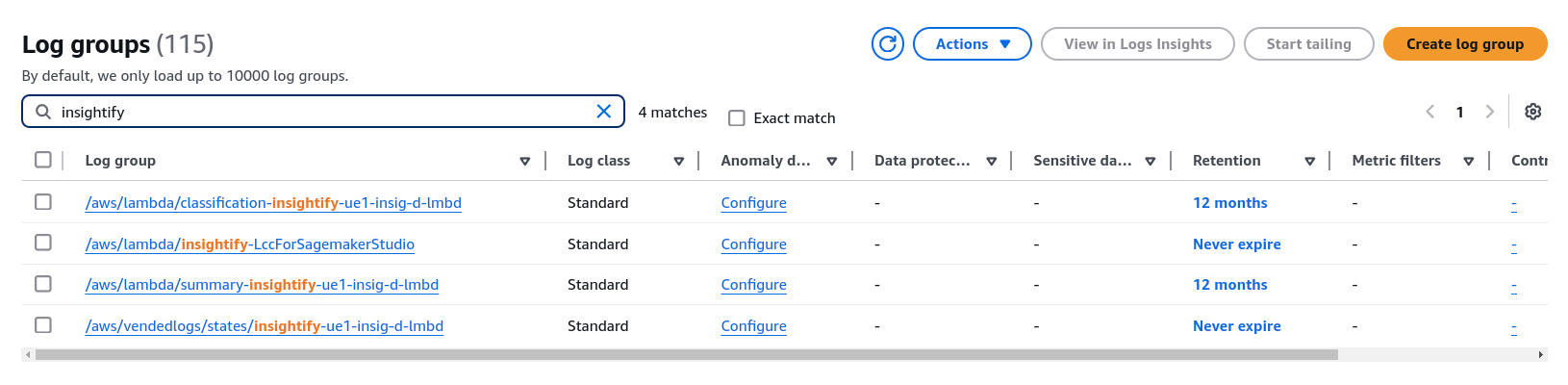
The IDP workflow is designed with fault tolerance in mind. AWS services like CloudWatch monitor and log errors, ensuring the workflow remains resilient.
Step-by-Step Error Handling Process
- Logging with CloudWatch: Errors are logged in Amazon CloudWatch for monitoring, which allows you to track and debug any failures in real-time.
- Lambda Retries: Lambda Functions can automatically retry the failed invocation for reprocessing, allowing smooth, reliable processing with minimal disruption to continue.
Benefits of IDP Solution
- Automation: Reduces manual data entry and analysis.
- Scalability: Easily handles varying document loads.
- Cost Efficiency: Serverless architecture minimizes operational costs.
- Flexibility: Works with multiple document formats and evolves with AI models.
Use Cases and Applications
- Invoice processing
- Contract management
- Document Classification
Conclusion
Intelligent Document Processing (IDP) transforms organizations’ unstructured data management, replacing manual, time-consuming tasks with automated workflows.
Leveraging AWS’s comprehensive ecosystem, businesses can streamline processes, extract insights, and scale operations securely and cost-effectively. This approach reduces costs, saves time, and fosters innovation, empowering organizations to achieve better outcomes.














