

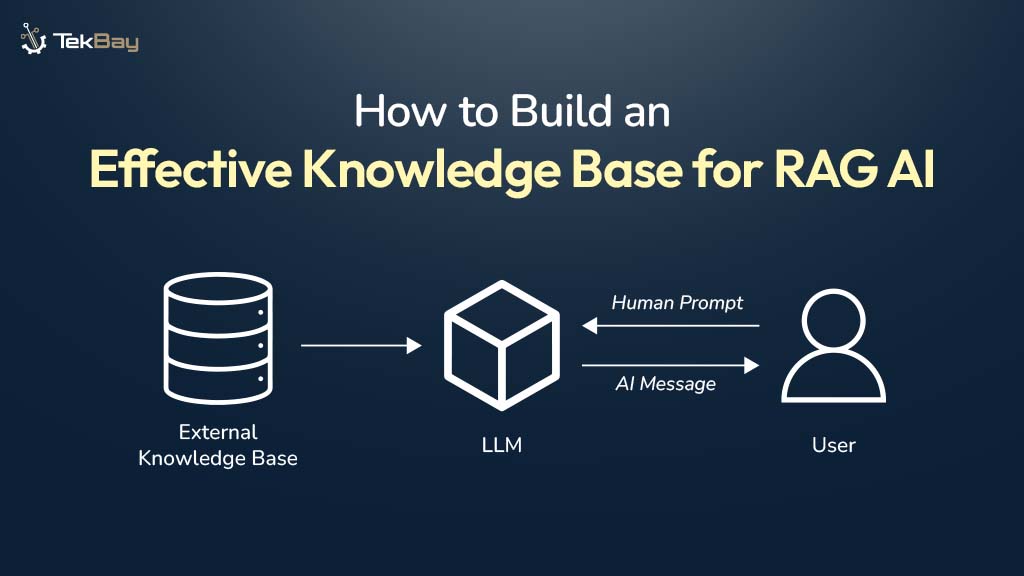
Building an effective knowledge base is the foundation of any successful Retrieval-Augmented Generation system. While many articles explain what RAG is, this guide focuses on the practical steps of how to construct a robust knowledge base that powers accurate, contextually relevant AI responses. Let’s dive into the implementation process.
Step 1: Define Your Scope and Identify Data Sources
Start by clearly defining what your RAG system needs to know. This scoping phase determines which documents, databases, and resources contain the knowledge your AI will access.
- Identify relevant sources by asking: What questions will users ask? What internal documentation exists? Which data sources are authoritative for your domain? Common sources include PDFs, Word documents, Markdown files, HTML pages, internal wikis, databases, and API endpoints.
- Assess document classifications to understand the variety in your corpus. Group documents by type (technical specs, policies, reports) and subtype (health insurance vs. car insurance). This helps you determine how many test documents you need and ensures you don’t over-represent or under-represent specific categories.
- Establish security constraints early. Determine which documents require authentication, authorization, or compliance with industry regulations. Implement role-based access controls and maintain separate knowledge bases for different security clearance levels.

Step 2: Collect and Preprocess Your Documents
Raw data is rarely ready for RAG systems. Document preprocessing transforms messy, inconsistent files into clean, structured information.
- Data ingestion begins with loading documents from various sources. Use specialized document loaders for different file types. LangChain provides comprehensive loaders for PDFs (PyPDFLoader), Markdown (UnstructuredMarkdownLoader), and directory-level batch processing (DirectoryLoader). For scanned PDFs, incorporate OCR libraries to extract text.
- Clean your data by removing duplicates, correcting errors, filling missing values, and standardizing formats. Apply regex-based pattern removal to eliminate repetitive structures like long lines of dashes, HTML tags, and non-ASCII characters. Remove page headers, footers, extra whitespace, and blank lines while preserving meaningful information.
- Normalize your text to ensure uniformity: convert to lowercase where appropriate, standardize numerical formats, remove special characters, and ensure consistent date formats. For enterprise data, implement multi-stage refinement rather than applying all cleaning steps at once. This progressive approach avoids over-cleaning that could remove valuable information.
- Domain-specific cleaning matters. Legal documents may require specific formatting preservation, technical documentation needs code block handling, and medical records demand strict PHI removal.

Step 3: Extract and Enrich Metadata
Metadata transforms your knowledge base from a flat collection of text into a structured, searchable resource.
- Extract standard metadata, including document titles, authors, publication dates, document types (FAQ, manual, email), source information, and section headers. Libraries like LangChain and LlamaIndex provide built-in parsers for automatic standard metadata extraction.
- Add custom metadata tailored to your use case. For HR systems, include department, employee level, and policy year. For technical documentation, add product version, component names, and API endpoints. This domain-specific metadata significantly improves retrieval precision.
- Implement metadata tagging before chunking to ensure each chunk inherits this context. Attach security clearance levels, topic categories, document classifications, and confidence scores to enable sophisticated filtering during retrieval.
- Use LLM-powered enrichment for advanced metadata generation. Employ large language models to extract entities, generate summaries, identify key themes, create potential question-answer pairs, and tag retrieval nuggets of implicit knowledge.

Step 4: Implement Strategic Document Chunking
Chunking decides how your documents get split into “bite-sized” pieces for retrieval. Do it right, and your AI can answer correctly. Do it wrong, and you get context-less gobbledygook.
Popular strategies:
- Fixed-size chunks (e.g., 512 tokens)
- Recursive chunking (sections → paragraphs → sentences)
- Semantic chunking (split based on meaning, not size)
- Agentic chunking (AI decides on the best split)
Rule of thumb: Start with 512 tokens and 50–100 token overlap. Test, test, test.
Step 5: Generate and Store Embeddings
Embeddings are numerical representations of text that capture meaning, enabling similarity-based retrieval.
Tips for embeddings:
- Model selection: Use general models like
text-embedding-3-smallor domain-specific models (BioGPT for biomedical). Fine-tune if necessary. - Vocabulary considerations: Ensure the model can handle domain-specific terminology.
- Consistency: Use the same model for document chunks and user queries.
- Evaluation: Visualize embeddings using t-SNE and calculate distances to test model performance.
Balance performance against cost; large models give better results but consume more storage and computation. Always validate on real data.
Step 6: Choose and Configure Your Vector Database
Your vector DB stores embeddings and handles similarity search. Options:
- Pinecone: Enterprise-ready, fully managed
- Weaviate: Flexible, hybrid search, knowledge graph support
- ChromaDB: Lightweight, great for prototypes
- Qdrant / Milvus: Open-source alternatives
Setup tip: Store embeddings with metadata, use similarity indexes like HNSW, and plan namespaces if you have multiple teams.
Step 7: Build the Retrieval Pipeline
Once your knowledge base is ready, it’s time to fetch the right chunks for queries.
- Semantic search: Embed the user query and retrieve top-k chunks based on similarity.
- Hybrid search: Combine vector similarity with keyword search (e.g., BM25) for better coverage.
- Reranking: Score and reorder retrieved chunks to improve precision.
- Metadata filtering: Scope search by date, document type, department, or security level.
- Context configuration: Control maximum context length, number of chunks, and fill ratio (~0.6–0.7 for balance).
Step 8: Integrate with Your LLM
Connect your retrieval system to the language model that generates responses.
- Construct augmented prompts by combining the system instructions, user query, retrieved context chunks (with source citations), and generation parameters. Format retrieved information clearly, including metadata like source documents and page numbers, and maintain consistent prompt templates.
- Implement context-aware generation. Pass retrieved chunks as context to your LLM (GPT-4, Claude, Llama, or domain-specific models). Instruct the model to answer based only on the provided context, cite sources in responses, and acknowledge when information isn’t available in the knowledge base.
- Handle edge cases, including queries with no relevant results (return “I don’t have information about that”), queries requiring multiple sources (synthesize across chunks), and ambiguous queries (ask clarifying questions).
Step 9: Test and Evaluate Your Knowledge Base
Testing ensures your knowledge base delivers accurate, useful responses.
Evaluation metrics include:
- Retrieval: Context relevance, coverage, sufficiency, precision, recall.
- Generation: Relevance, correctness, completeness, faithfulness, helpfulness.
- Combined: BLEU, ROUGE, BERTScore, or custom domain-specific metrics.
Leverage LLM-as-judge evaluation with frameworks like RAGAS or TruLens for nuanced scoring. Monitor performance continuously using A/B testing, user feedback, and knowledge gap analysis.
Step 10: Optimize and Maintain
Building the knowledge base is just the beginning of an ongoing optimization to keep it performant.
- Implement version control for your knowledge base content. Track which embedding model version was used for each chunk by storing model name/version as metadata. When switching models, write both versions temporarily and A/B test retrieval quality. Use shadow re-indexing—re-embed and index in a separate collection, then switch traffic when tests pass.
- Regularly update content. Establish schedules for refreshing documents, removing outdated information, and adding new knowledge. Implement incremental updates rather than full re-indexing when possible.
- Scale strategically. Start with ChromaDB for prototypes, evaluate using representative data across all platforms, and then transition to Weaviate or Pinecone based on production requirements. Design for migration by keeping metadata schemas, chunking logic, and embedding versioning clean from the start.
- Optimize for cost and performance. Cache query results and embedding calculations, use lightweight models for retrieval and more powerful models for generation, implement batching for multiple users, apply quantization techniques to reduce storage, and monitor per-query costs.
- Address security and compliance. Implement network isolation, data encryption at rest and in transit, robust access control (including API keys, RBAC, and application-level controls), comprehensive audit logging, and regular security assessments.
Advanced Techniques to Consider
Once your baseline knowledge base is operational, explore these advanced approaches:
- GraphRAG combines vector databases with knowledge graphs to capture both semantic meaning and structured relationships between entities. This enables more sophisticated reasoning, context-aware source prioritization, and unified processing of structured and unstructured data.
- Agentic RAG employs specialized AI agents for different domains (compliance, technical documentation, customer support) that directly access and share relevant information with LLMs based on query context. This modular approach provides deeper domain expertise than generalist knowledge bases.
- Contextual retrieval adds explanatory context to chunks before embedding them, improving semantic coherence. Use LLMs to generate brief descriptions of each chunk’s role within the larger document structure.
- Late chunking embeds entire documents first, then derives chunk embeddings from full document context. This provides chunks with awareness of the complete document while maintaining retrieval granularity.
Conclusion
Building an effective knowledge base for RAG requires careful attention to data quality, strategic chunking decisions, appropriate embedding selection, and robust retrieval mechanisms. Start with a well-defined scope, implement clean data preprocessing pipelines, choose chunking strategies that match your content, select embedding models and vector databases appropriate for your scale, and establish rigorous evaluation practices.
The quality of your RAG system’s outputs directly reflects the quality of your knowledge base. Invest time in proper document preparation, metadata enrichment, and systematic testing. Begin with baseline configurations, measure results with real queries, and optimize iteratively based on data rather than assumptions. With these practical steps, you’ll build a knowledge base that powers accurate, contextually relevant, and reliable AI responses for your GenAI applications.














