

As more organizations utilize AWS services, they require more effective methods to manage their costs. AWS offers two main ways for cost optimization: Savings Plans (SPs) and Reserved Instances (RIs). Both options help customers pay less for their cloud services when they commit to using AWS long-term.
How do you choose between these two money-saving options for your AWS needs? This blog explains the key differences and when to use each option based on AWS’s own guidance and cost management tools.
Savings Plans vs Reserved Instances: Product Overview
| Feature | Savings Plans (SPs) | Reserved Instances (RIs) |
| Flexibility | High (supports EC2, Fargate, Lambda, SageMaker) | Limited (instance type, region, size) |
| Discount Type | Based on committed hourly spend | Based on instance reservation |
| Applies To | Usage offering highest discount first | Matching usage only |
| Ideal For | Modernization, agility, operational simplicity | Legacy systems, granular reporting, capacity reservations |
| Commitment Duration | 1-year or 3-year | 1-year or 3-year |
| Payment Options | All Upfront, Partial Upfront, and No Upfront | All Upfront, Partial, and No Upfront |
When to Use Savings Plans?
Saving Plans are recommended by AWS for dynamic and evolving workloads, offering flexibility that aligns with modern DevOps practices. Here are the key scenarios:
- Dynamic Workloads with Changing Usage: If your usage changes with time or you need to scale up and down often, Savings Plans are perfect. You commit to spending a certain amount on computing power without being tied to specific server types. These plans work across different server families, operating systems, sizes, and regions, making them great for applications with unpredictable needs.
- Serverless and Container Services: Savings Plans work with AWS Lambda, Fargate, and SageMaker, which Reserved Instances don’t cover. This makes them better for modern serverless setups and container-based applications where computing needs vary.
- Multiple Region Support: Compute Savings Plans work across different AWS regions, giving you flexibility for global applications. This helps teams manage systems in multiple locations.
- Automatic Discounts: Savings Plans apply discounts automatically to eligible usage, making them easier to manage than Reserved Instances, which need exact matching to specific configurations.
- Handling Usage Spikes: For workloads that spike or drop regularly, Savings Plans are more flexible because organizations can use any server type within their committed amount. This works well for seasonal businesses or teams managing workloads with varying demands.
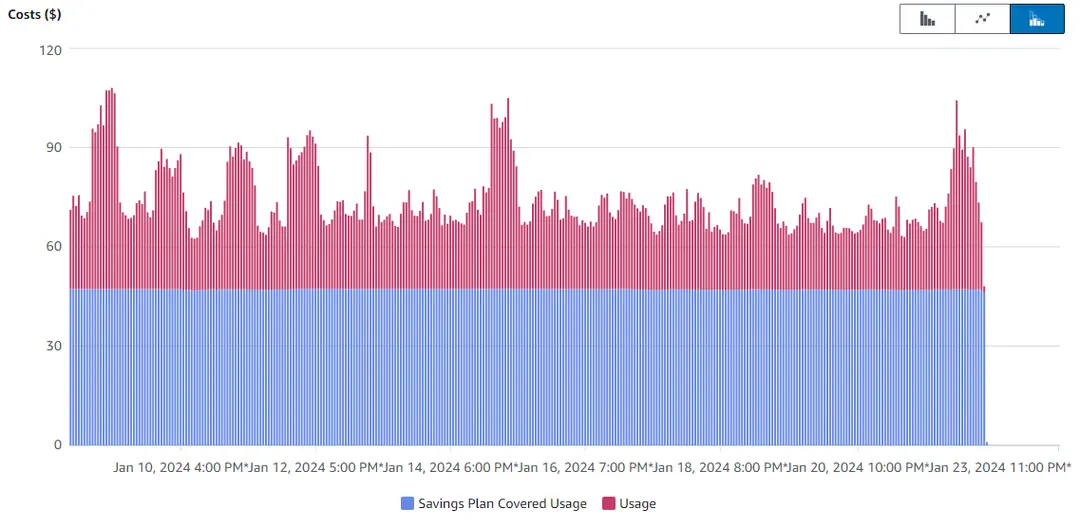
Benefits Of Using Savings Plans:
- Seamless integration with EC2, Fargate, and Lambda.
- Applied automatically to maximize savings.
- Simplifies reporting and commitment management.
When to Use Reserved Instances?
Reserved Instances work best when:
- Steady-State, Predictable Workloads: If your application has consistent usage, such as databases or web servers, RIs can provide up to 75% savings compared to On-Demand pricing when matched exactly to usage. This is ideal for “always-on” services.
- Specific Instance Requirements: For workloads requiring specific instance families, sizes, or configurations, RIs allow you to lock in those specifications. This is particularly useful for services like Amazon RDS or Redshift, where instance types are fixed.
- Broader Service Coverage: RIs cover a wider range of services beyond compute, including Amazon RDS, Redshift, ElastiCache, OpenSearch, and DynamoDB. This makes them suitable for DevOps teams managing diverse infrastructure.
- Capacity Reservation: Zonal RIs provide guaranteed capacity in a specific Availability Zone, critical for applications requiring high availability or compliance with certain standards.
- Long-Term Commitment with High Utilization: If you are confident that your workload will consistently utilize the reserved instances for at least 75% of the contract period, RIs can maximize savings. This is particularly relevant for long-term commitments (1 or 3 years).
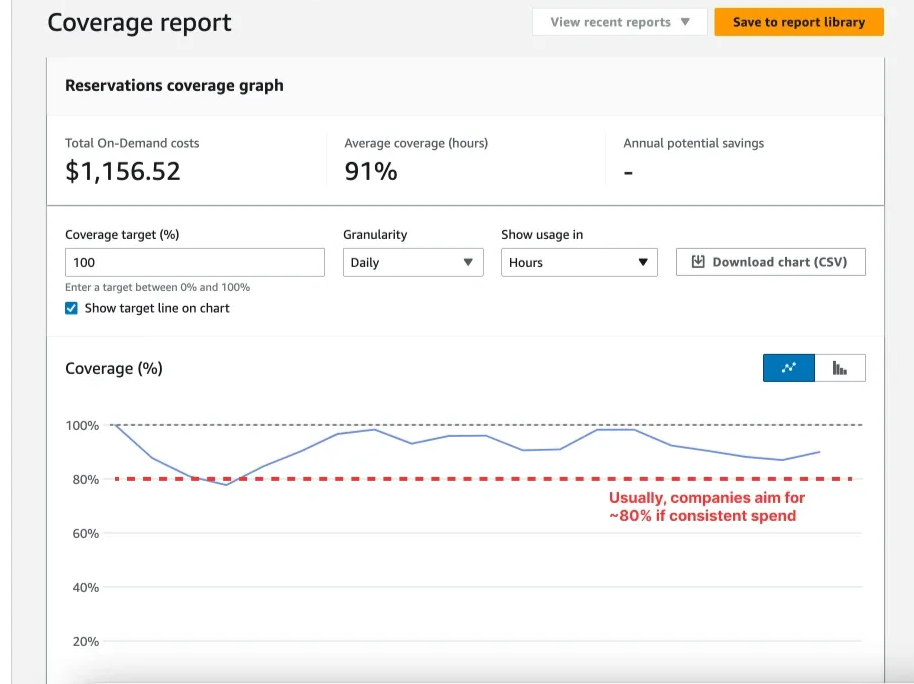
Benefits Of Using Reserved Instances
- Predictable cost savings (up to 72%).
- More control over usage allocation.
- Convertible options for family/OS changes (Convertible RIs).
Purchasing Strategy for Cost Optimization: Payer vs Linked Accounts
When using AWS Organizations, Savings Plans (SPs) and Reserved Instances (RIs) can be purchased at either the Payer Account or Linked Account level. Each strategy has its benefits and trade-offs depending on governance, chargeback, and savings goals.
| Strategy | Advantages | Disadvantages |
| Payer-level Purchase | Centralized management, auto-applies for best savings | Difficult to trace underutilization, less chargeback control |
| Linked Account Purchase | Better control, clearer chargebacks, business unit ownership | Less savings due to application constraints, harder to manage globally |
| Blended Strategy | Combines both approaches for balance | Requires coordination between central and local units |
Blended Strategy Example: A central FinOps team purchases SPs for shared EC2 and Lambda usage to maximize savings, while the data science team buys RIs for SageMaker instances, ensuring precise cost allocation for their projects.
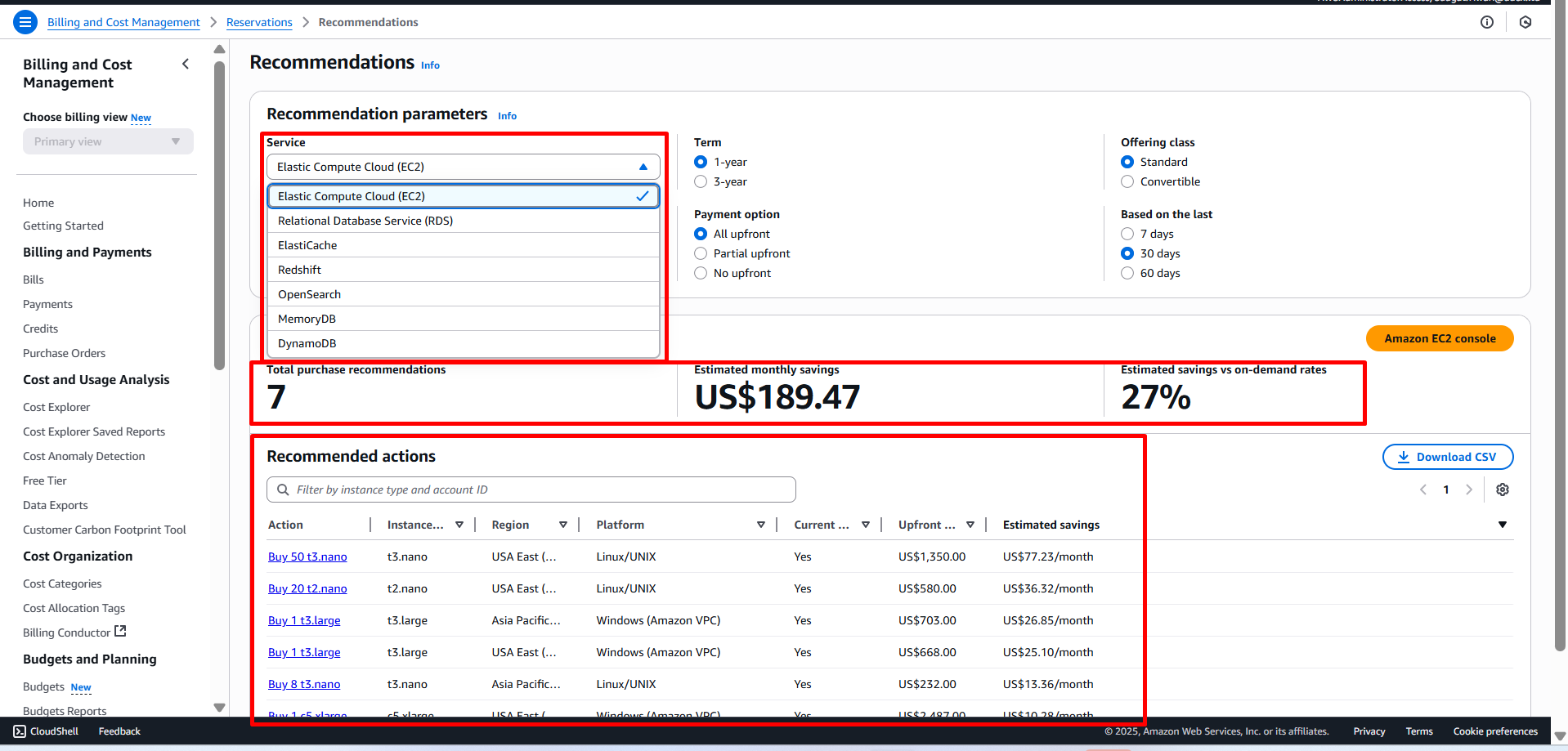
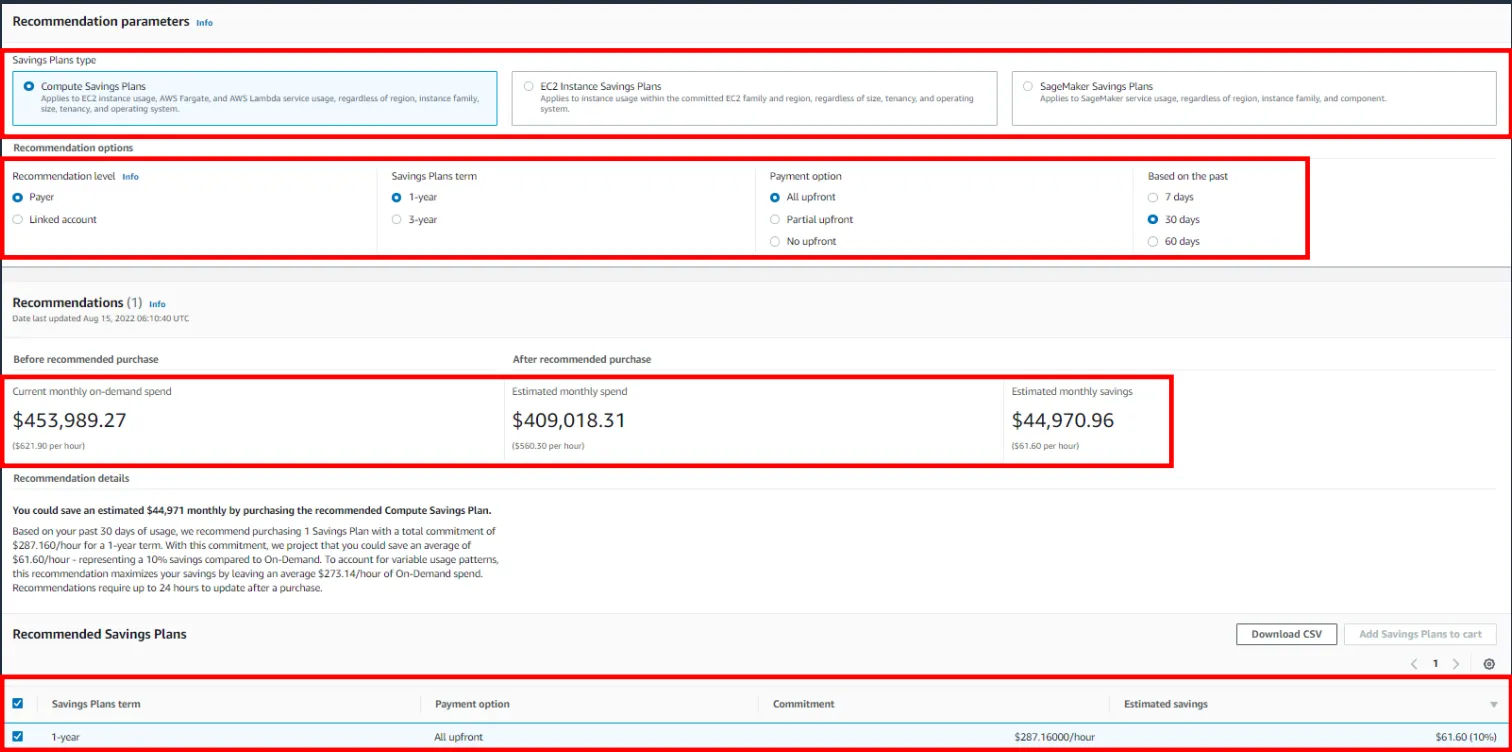
AWS Pricing Models
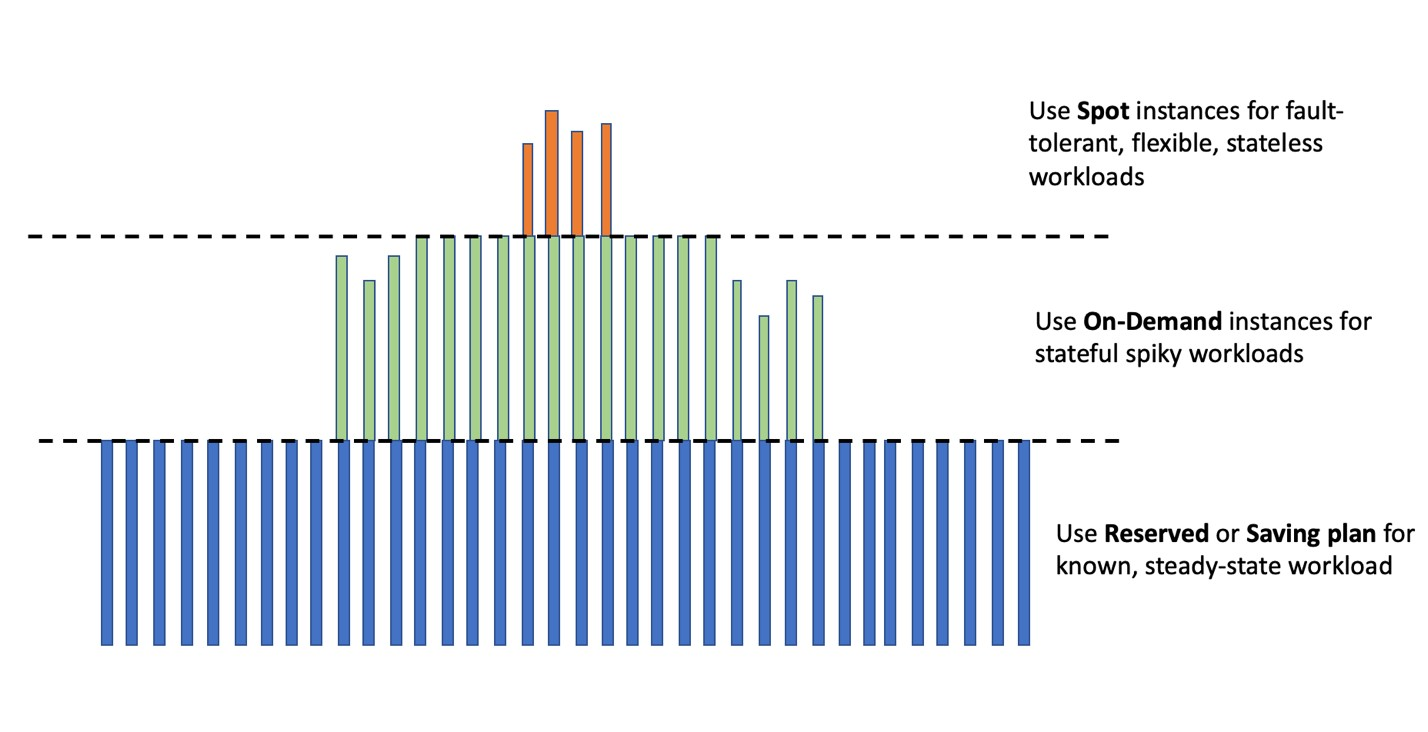
Aligning workloads with appropriate AWS pricing models helps optimize costs while also providing AWS with clearer signals for future compute demand. This contributes to improved capacity planning, more efficient infrastructure management, and enhanced sustainability.
AWS Cost Management Tools
AWS offers a suite of tools to support RI/SP decision-making and management:
| Tool | Purpose |
| AWS Cost Explorer | Visualize and forecast usage trends over time to support purchasing decisions. |
| AWS Budgets | Set custom alerts for usage, cost, RI/SP utilization, and coverage thresholds. |
| AWS Billing Conductor (ABC) | Create custom billing groups and view pro forma (what-if) billing scenarios. |
| Cost & Usage Reports (CUR) | Access raw, detailed billing data for in-depth analysis using analytics tools. |
| Well-Architected Labs | Follow best practices for cost optimization through hands-on labs and guidance. |
| CUDOS Dashboards | Use prebuilt dashboards to gain deeper financial insights into your environment. |
At Glance
Choosing the right AWS pricing option is about more than just saving money. It’s about matching your business needs, how you work, and your tech plans. AWS Savings Plans and Reserved Instances let you choose what works best for your company.
Need help building a purchase plan, analyzing coverage, or setting up tooling like ABC? Let’s talk—drop your use case, and Adex will help you create a tailored SP/RI strategy.














