


In modern cloud applications, event-driven architectures are becoming increasingly popular due to their flexibility, scalability, and responsiveness. Azure Event Grid is a fully managed event routing service allowing you to easily build event-driven solutions in Azure. It enables developers to send and react to events in near real-time without polling or managing complex infrastructure.
This blog will walk through the basics of Azure Event Grid, demonstrate a common scenario where it can be used, and explore how to implement it using Azure resources and Terraform for automation.
What is Azure Event Grid?
Azure Event Grid is a serverless event routing service that allows users to build applications that respond to events in real time easily.
It connects different event sources (such as Azure services or custom applications) with event handlers (such as Azure Functions, Logic Apps, or Webhooks). Event Grid simplifies the management of event-driven architectures by providing reliable, low-latency event delivery and filtering capabilities.
Key features of Event Grid include:
- Simple integration: It seamlessly integrates with various Azure services, such as Azure Functions, Logic Apps, and Webhooks.
- Event-driven architecture: Easily respond to changes and events from Azure services and custom sources.
- Scalability and reliability: Event Grid is highly scalable and can handle millions of events per second.
Scenario: Building a Serverless Image Processing Pipeline
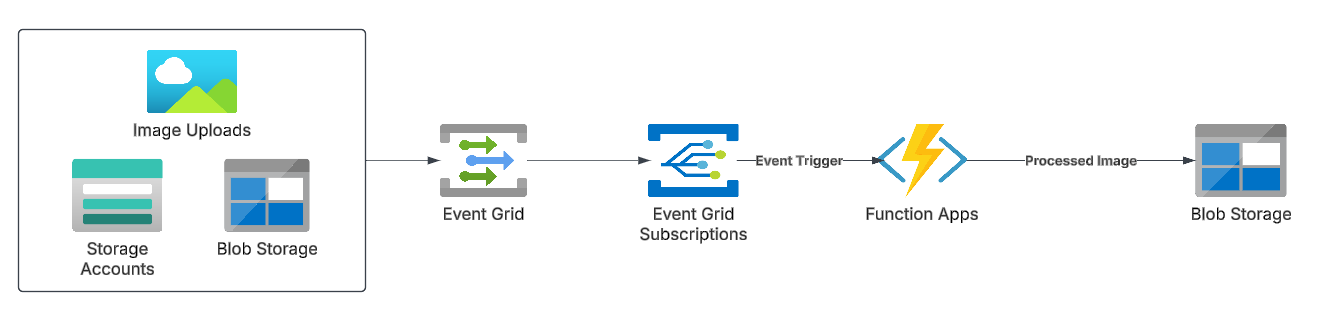
Imagine an image processing application where users upload images to an Azure Blob Storage container. Every time an image is added, it needs to be resized and stored in another container.
Instead of constantly polling the storage account to check for new images, Azure Event Grid can trigger an Azure Function whenever a new image is uploaded.
Setting Up the Event Grid in Azure
- Create the Storage Account and Container: First, create an Azure Blob Storage account and container where users will upload images.
- Create the Azure Function: This function will listen to Event Grid events and trigger the image-resizing process. The Azure Function can be created in a language of your choice, like C# or Python.
- Create an Event Grid Topic: Event Grid topics are sources of events. Azure provides default topics for many Azure services (like Storage), but you can also create custom topics.
- Configure Event Subscription: Set up an Event Subscription to tell Event Grid which events to listen for (e.g., a new blob being created in the storage container) and which endpoint (Azure Function) to notify.
Step 1: Create Resource Group

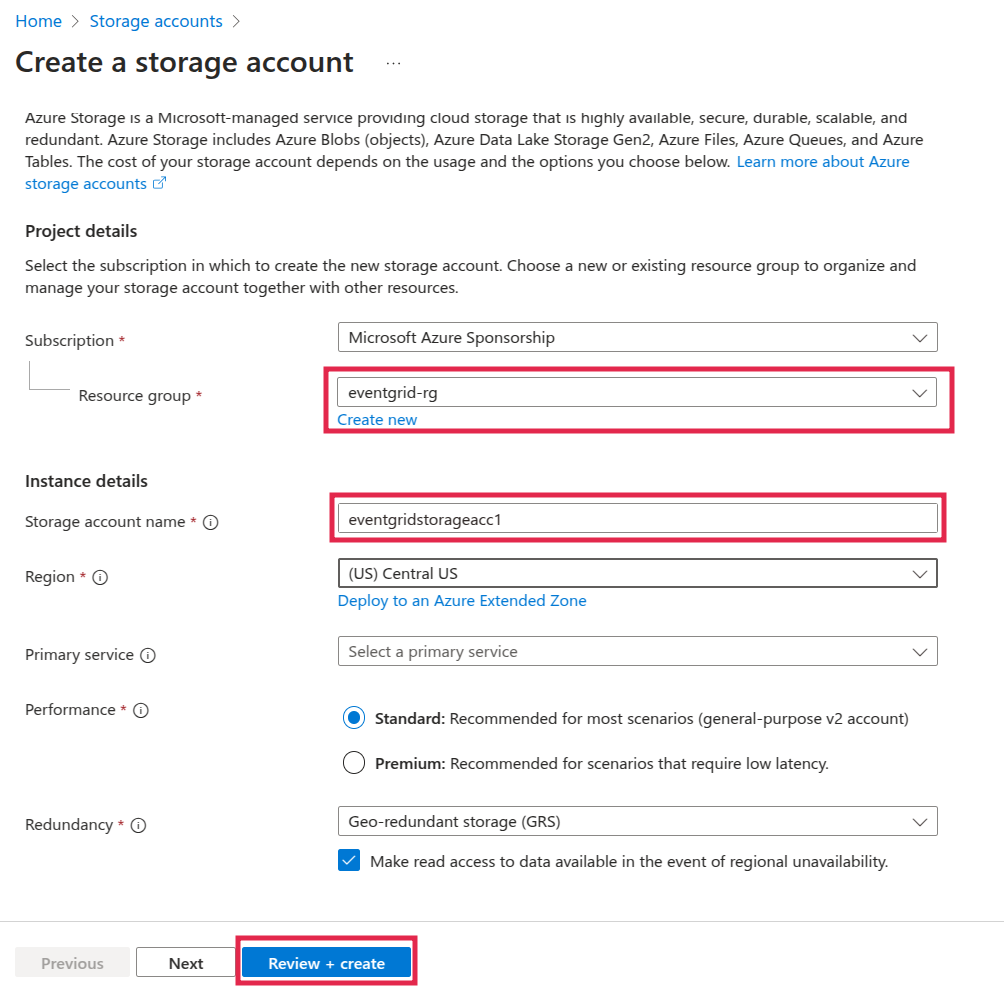
Step 2: Create Storage Account
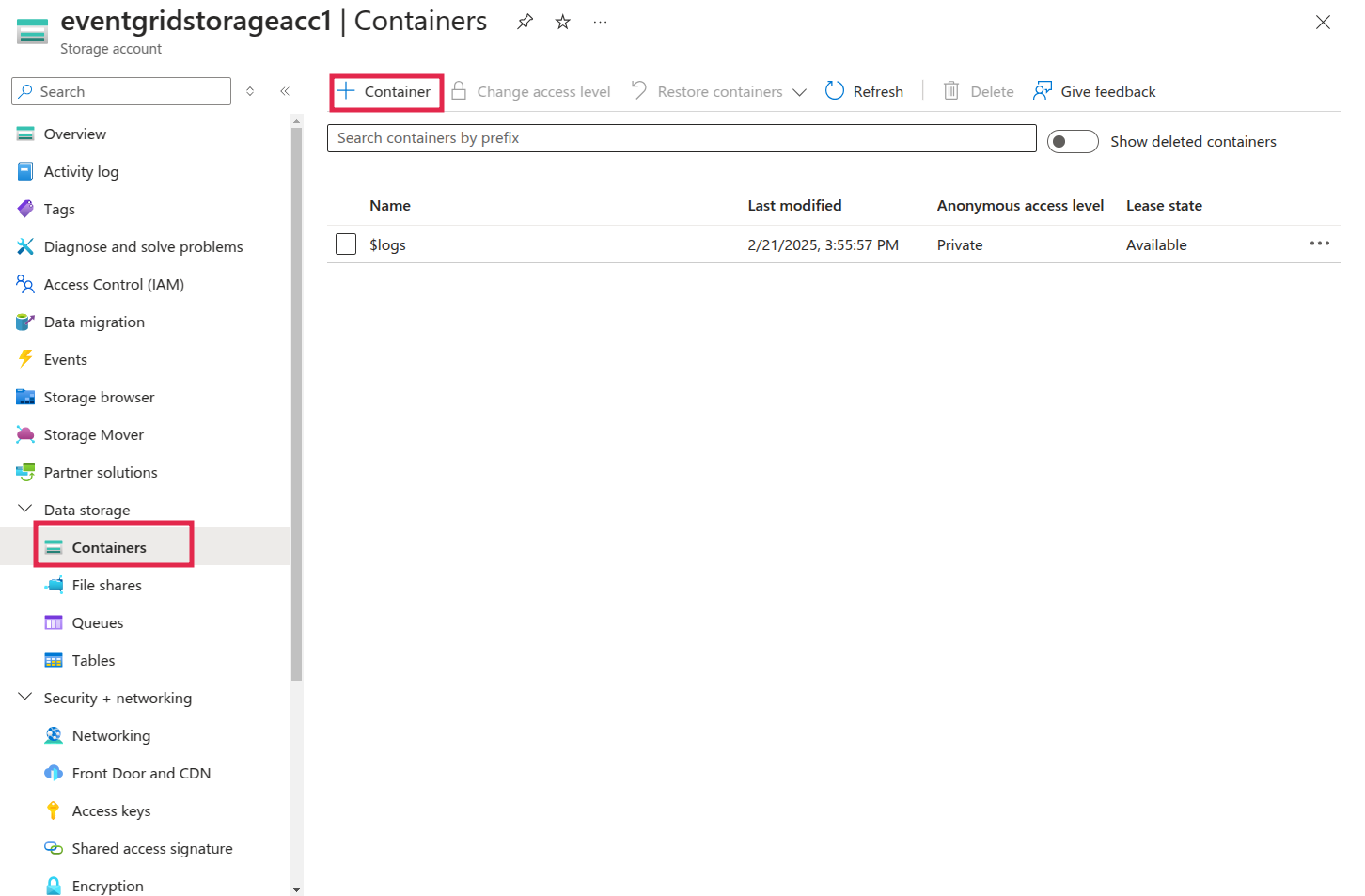
Step 3: Create Blob Container
- Click on data storage inside the storage account and on the container.
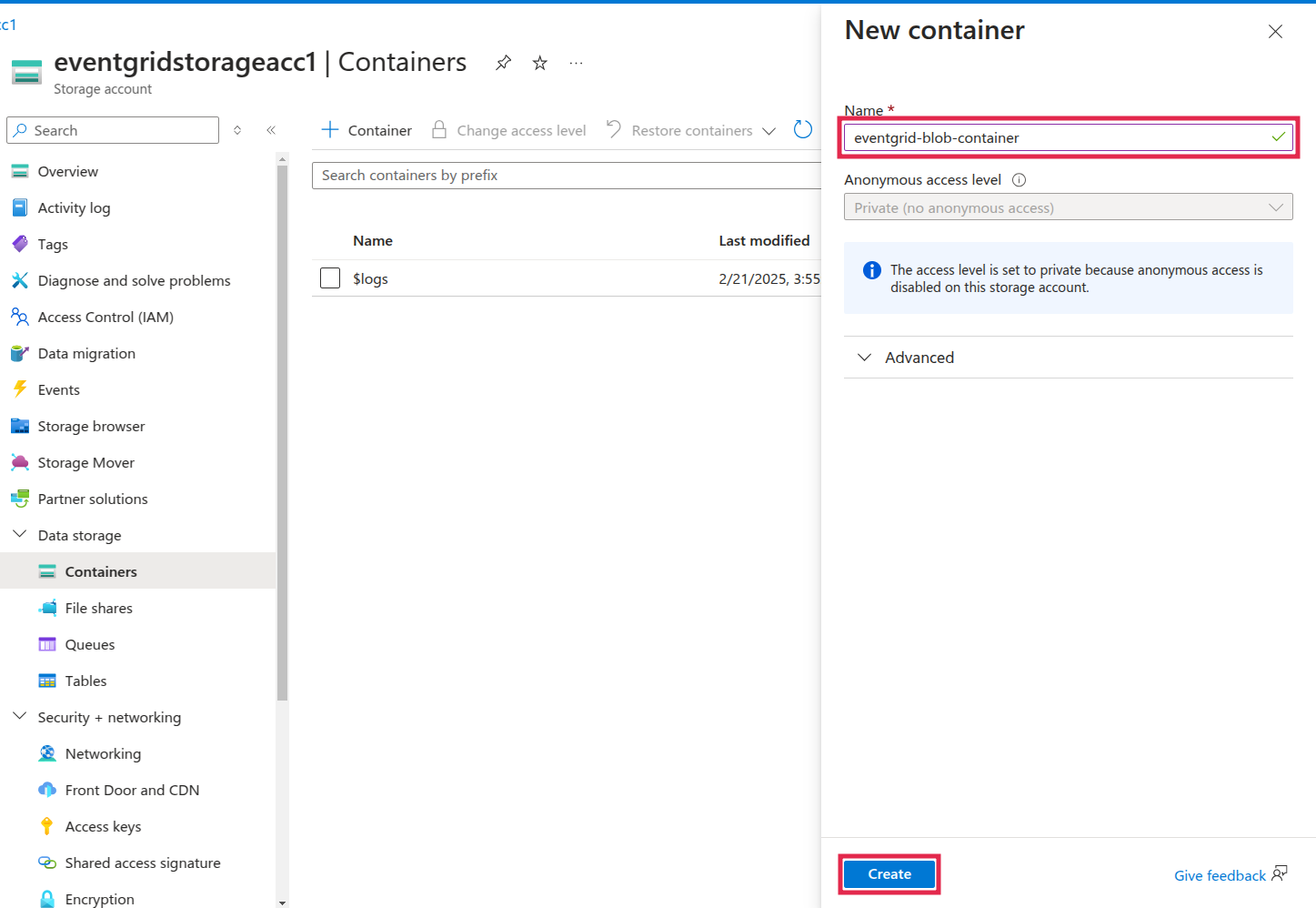
- Provide the name for the blob container and click on create.
Step 4: Create an Azure Function App
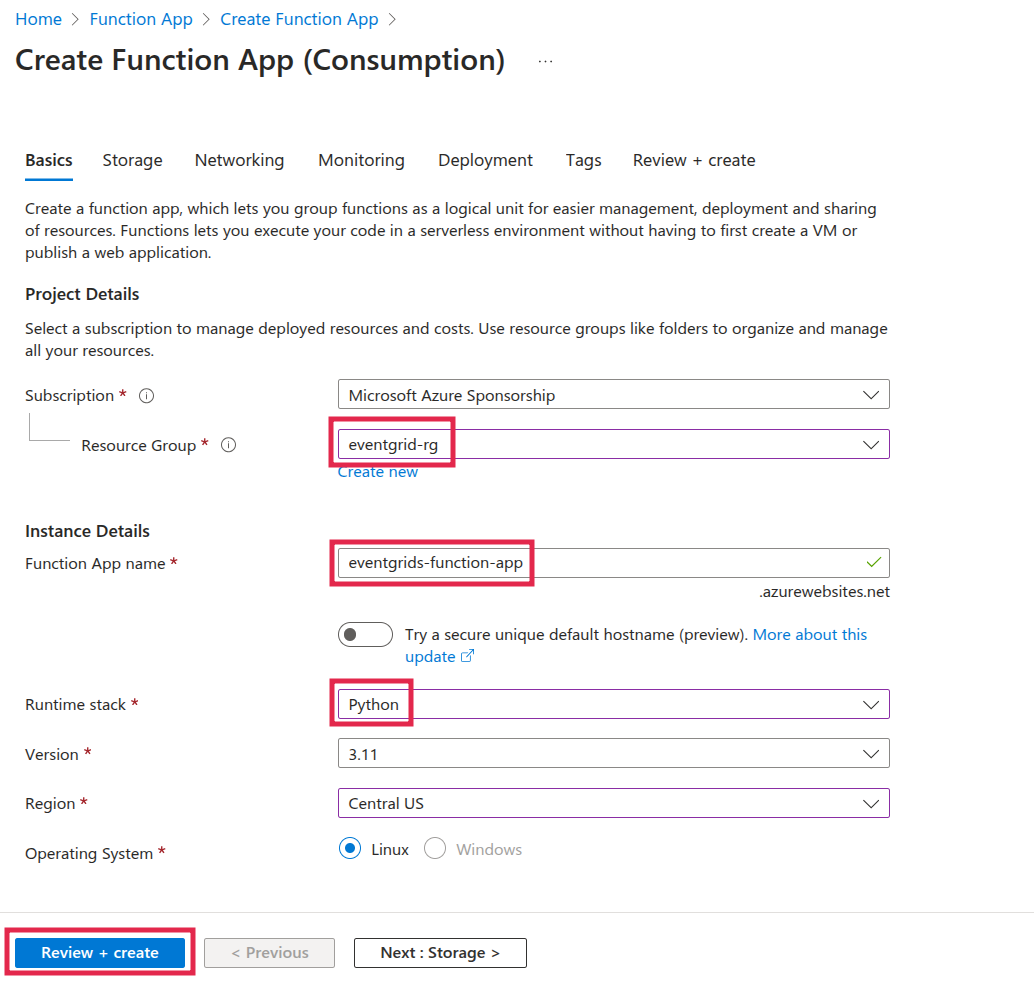
Step 5: Deploy a Function to Process Event Grid Events
- Click on “Create function” under “Create in Azure portal.”
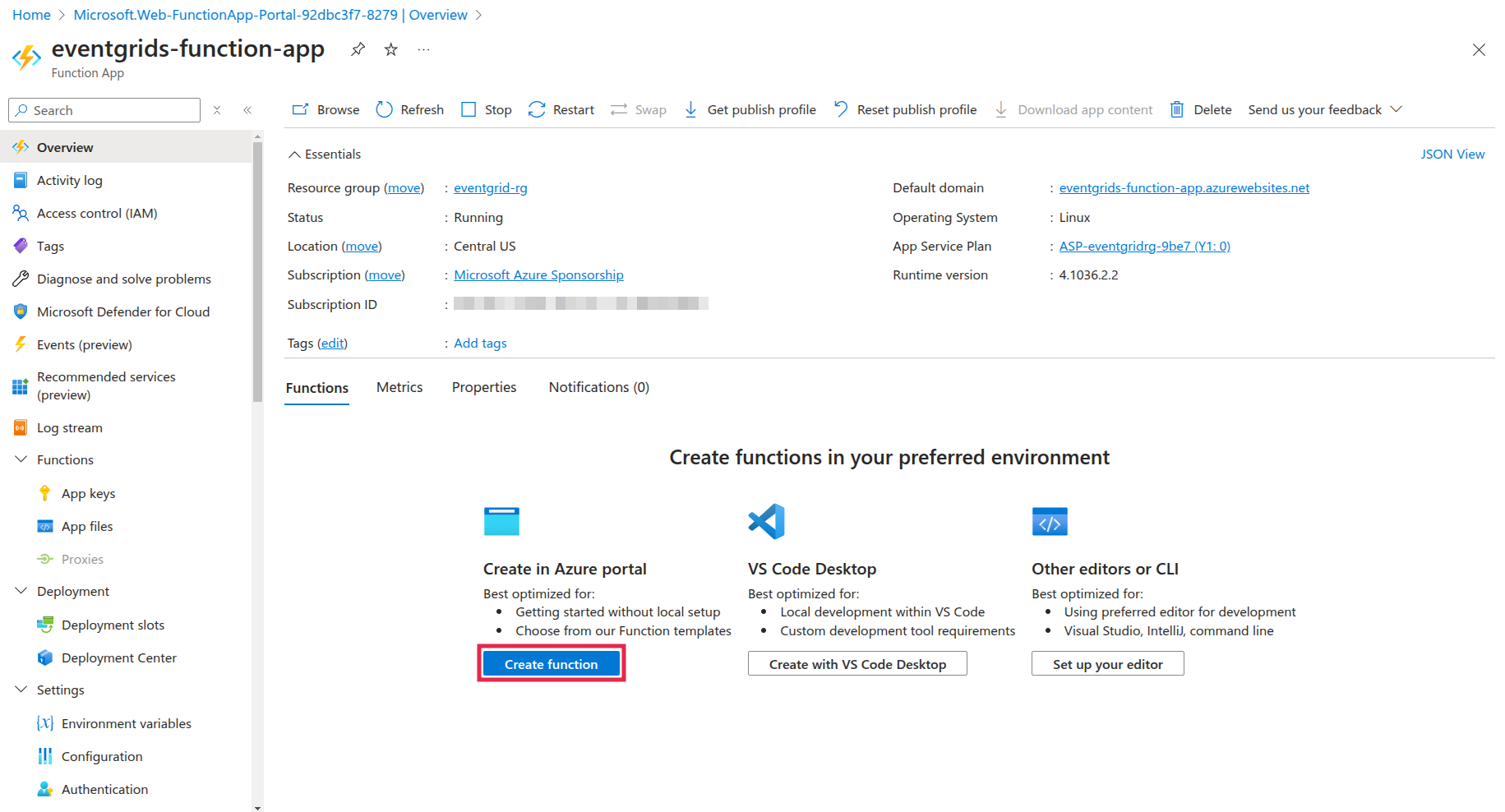
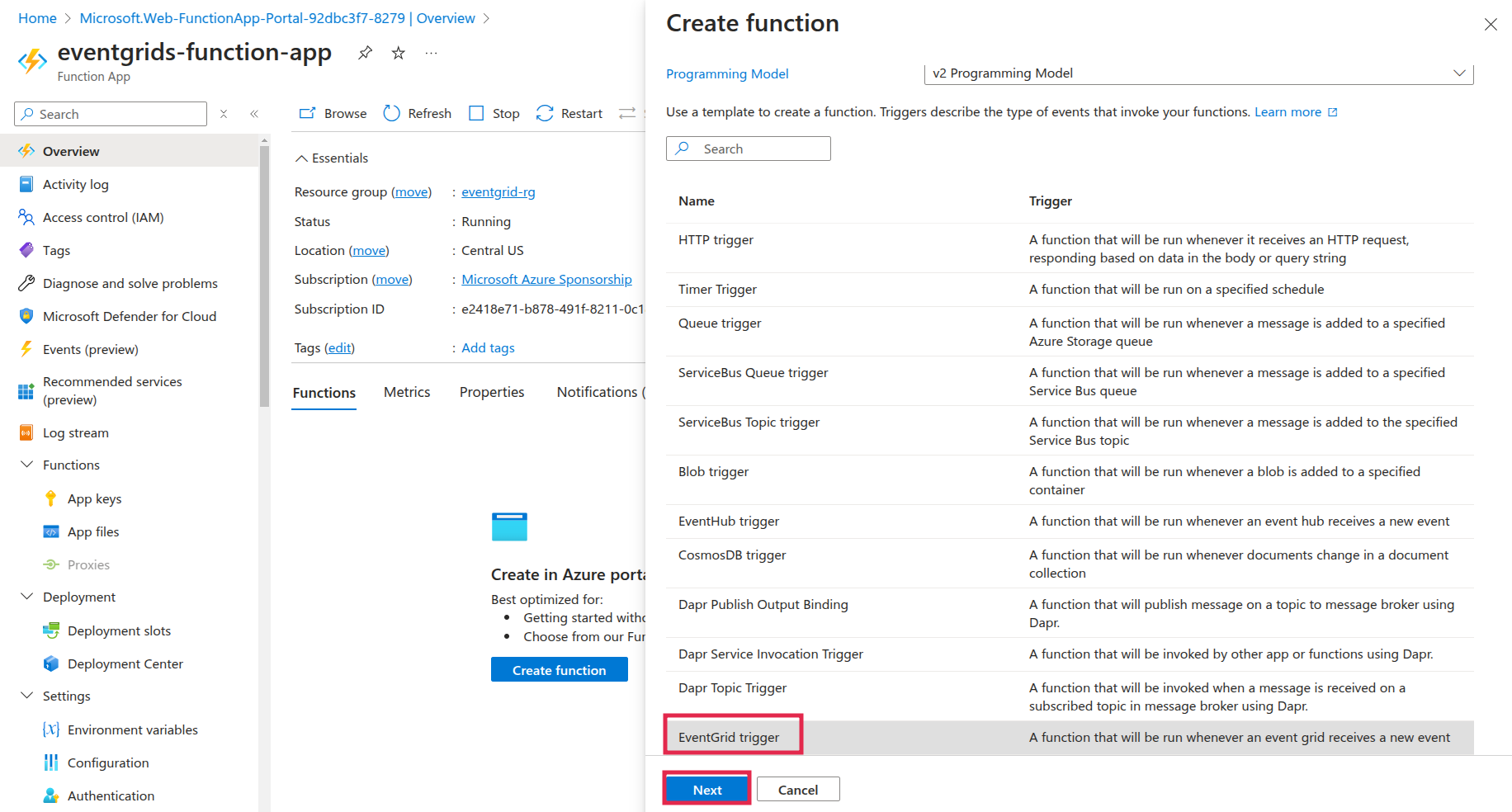
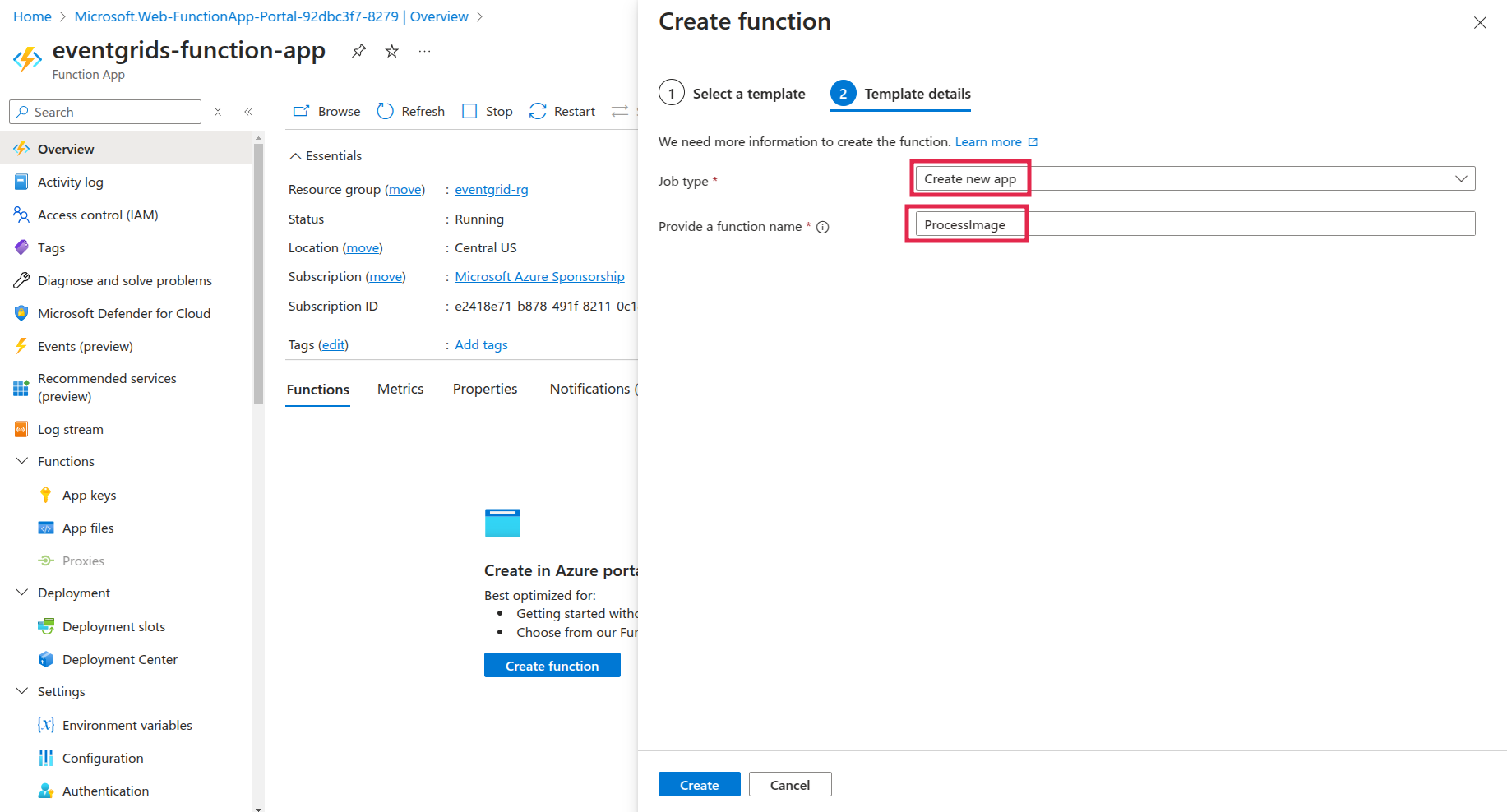
Step 6: Get the Function App Webhook URL
- Open the Function App (
eventgrids-function-app). - Go to Functions → Click on ProcessImage.
- Click Get Function URL (top menu).

Step 7: Create an Event Grid Subscription
- Go to Storage Accounts → Select
eventstorageacc456. - In the left panel, go to Events → Click + Event Subscription.
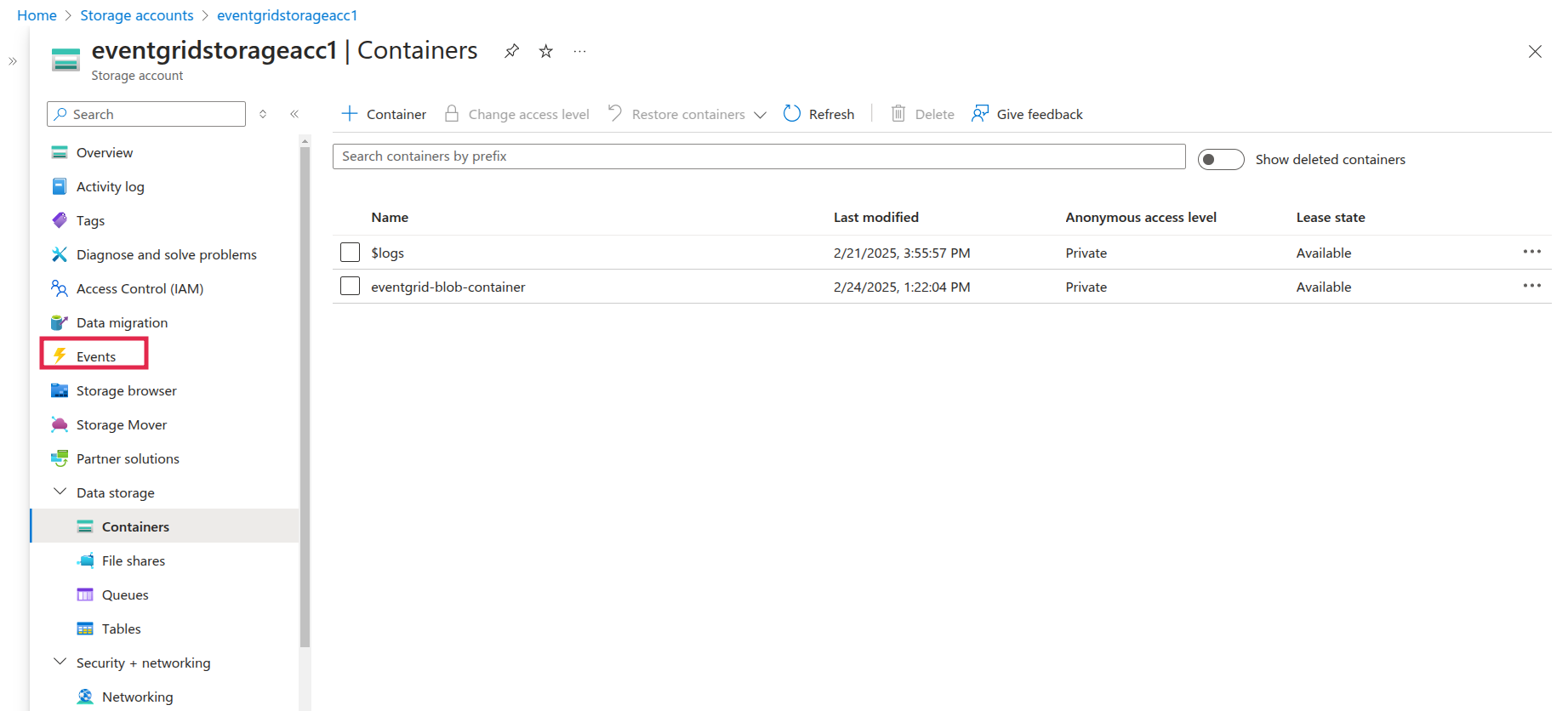
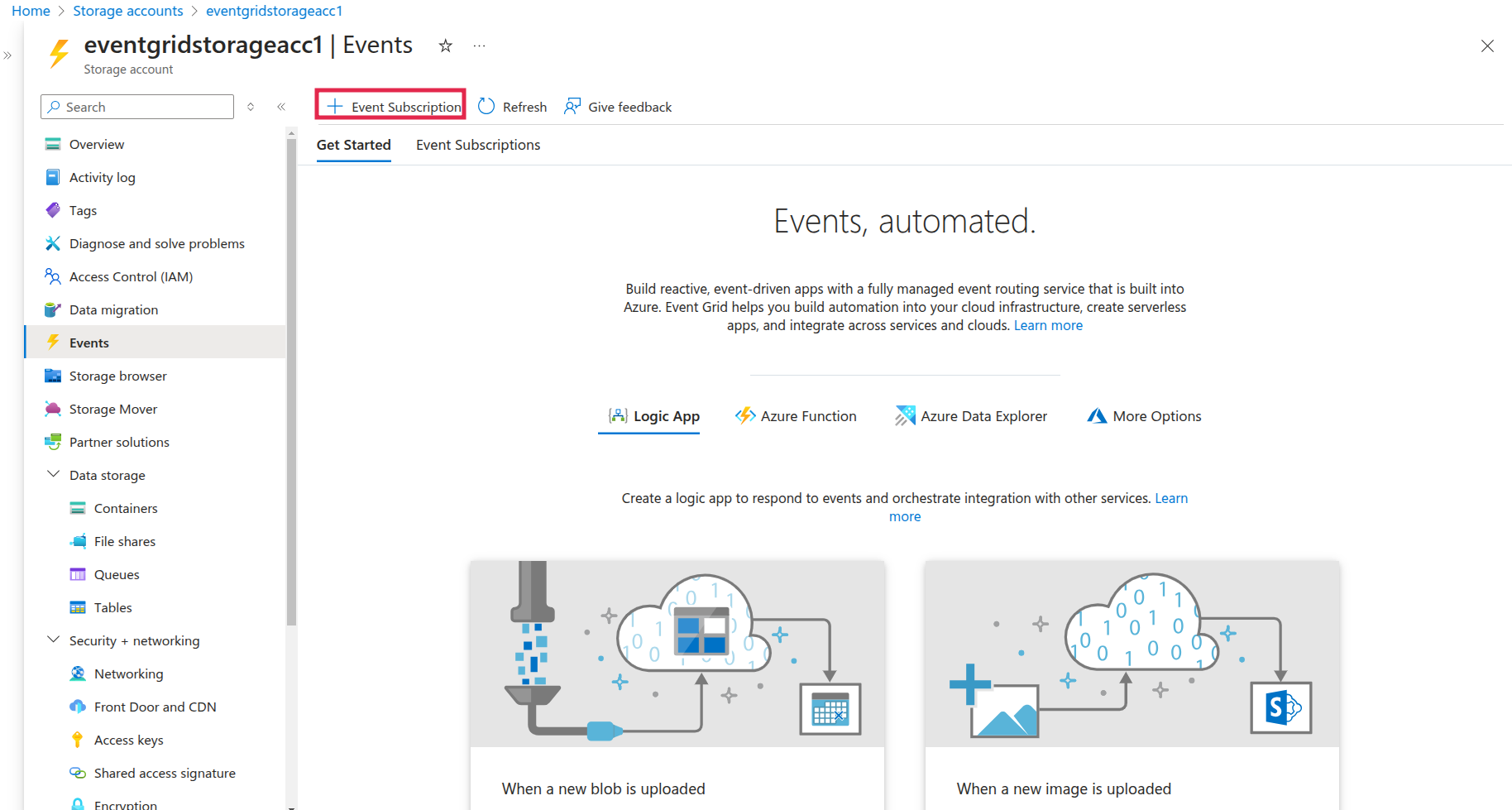
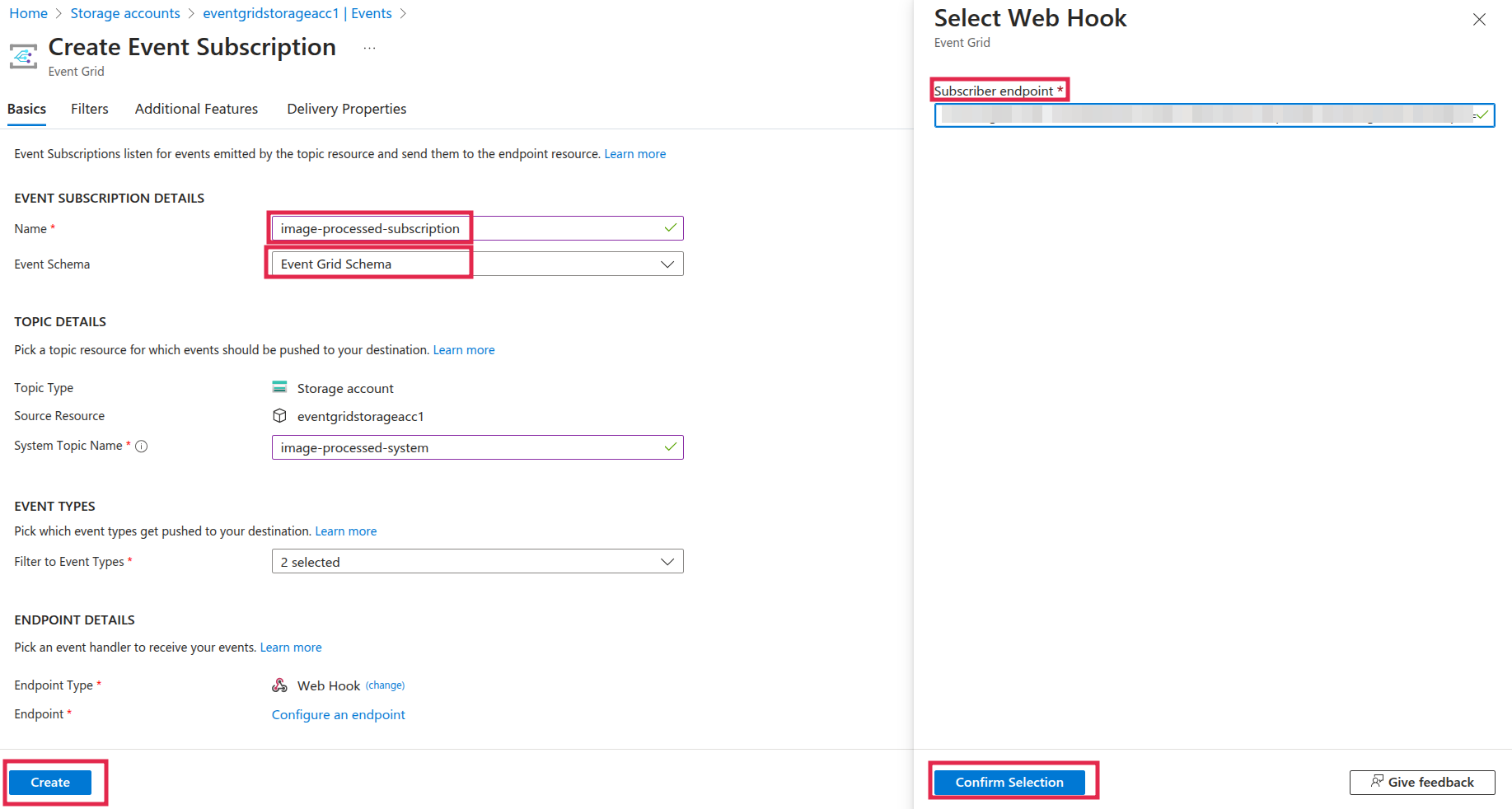
Then, fill in the details:
- Name: image-processed-subscription
- Event Schema: Event Grid Schema
- System Topic: Microsoft.Storage
- Event Types: Blob Created
- Destination: Webhook
- Webhook URL: Paste the URL from Step 6
Step 8: Test the Setup
- Go to Storage Account → Containers → images.
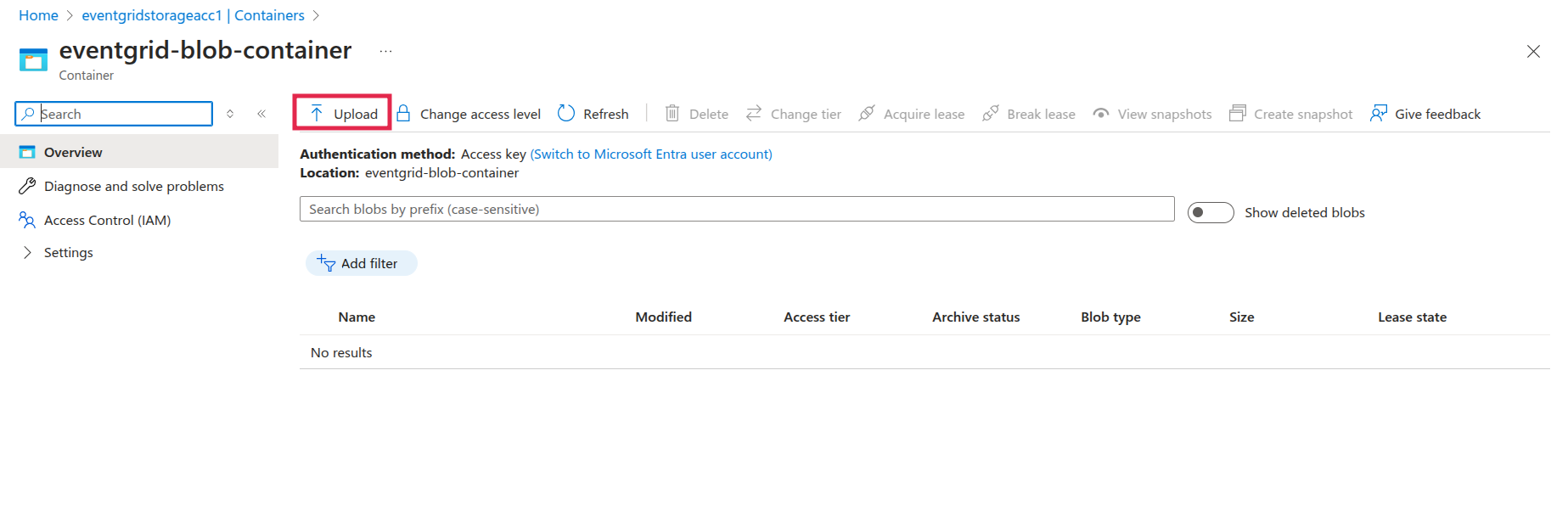
Click Upload and add a test image (.jpg or .png).
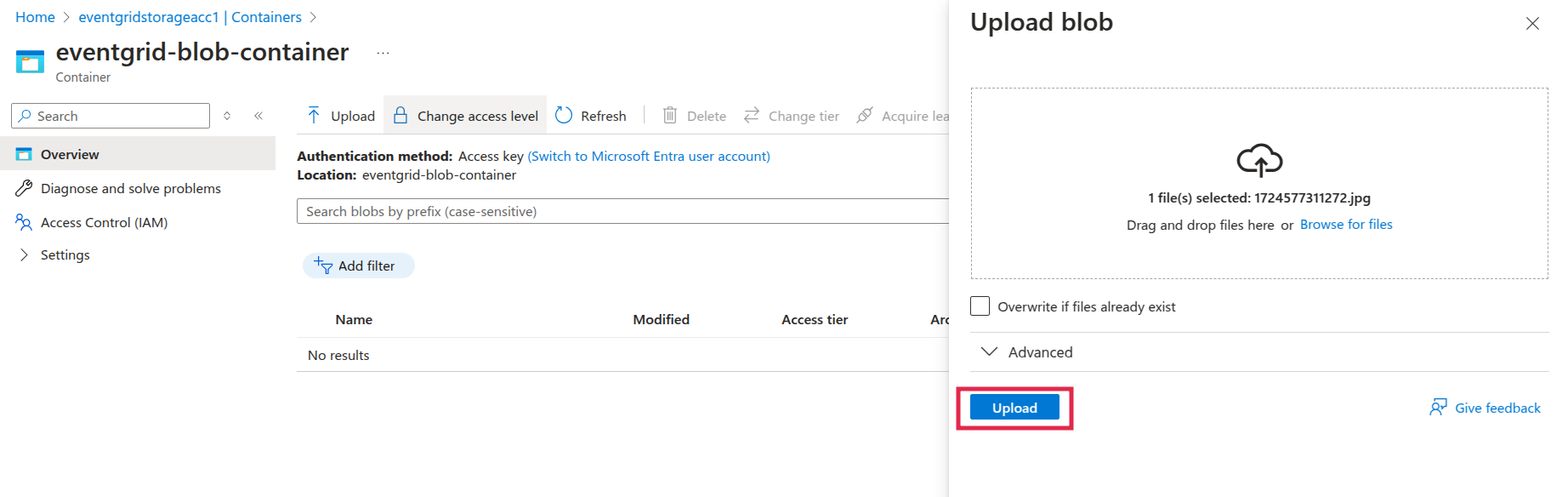
- Wait a few seconds.
- Go to Function App
- If the function executed successfully, the logs should show that the image was processed.
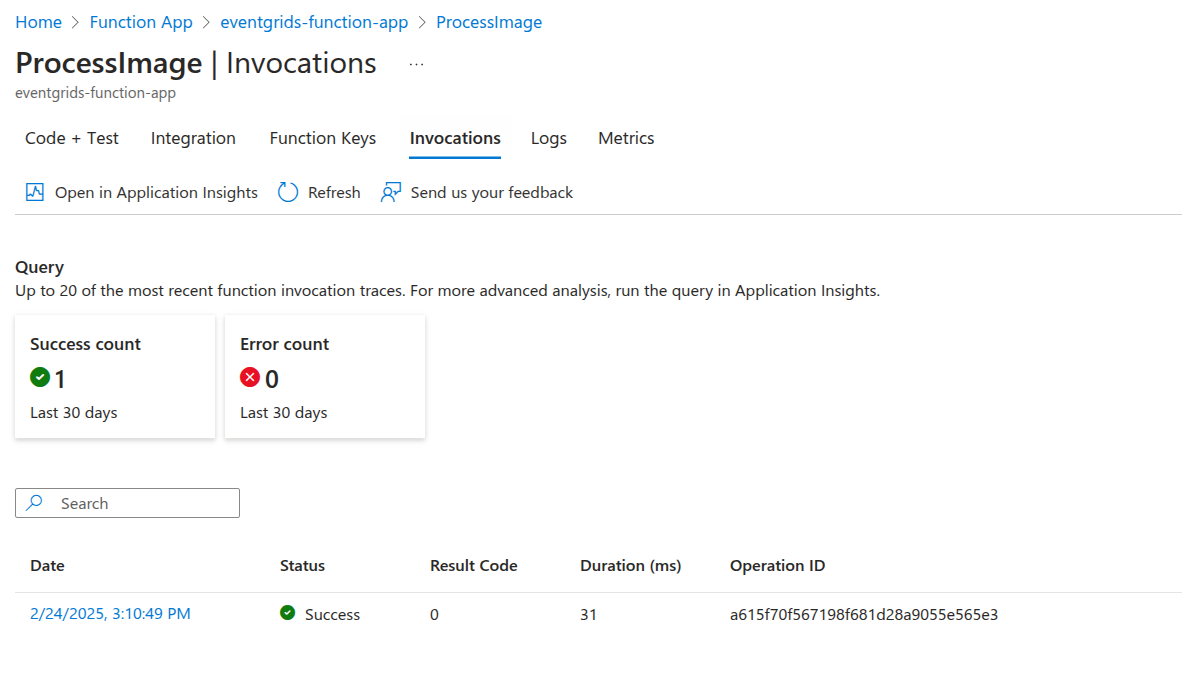
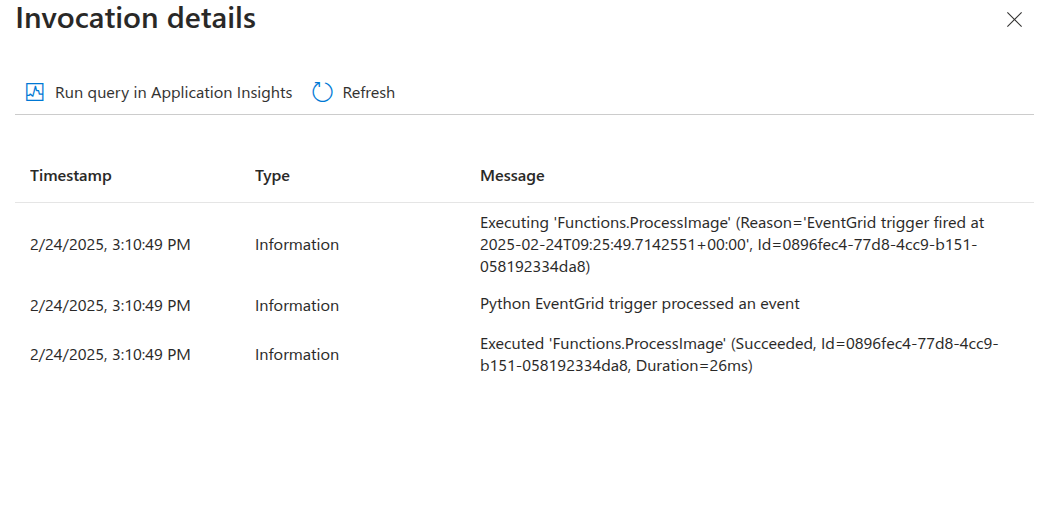
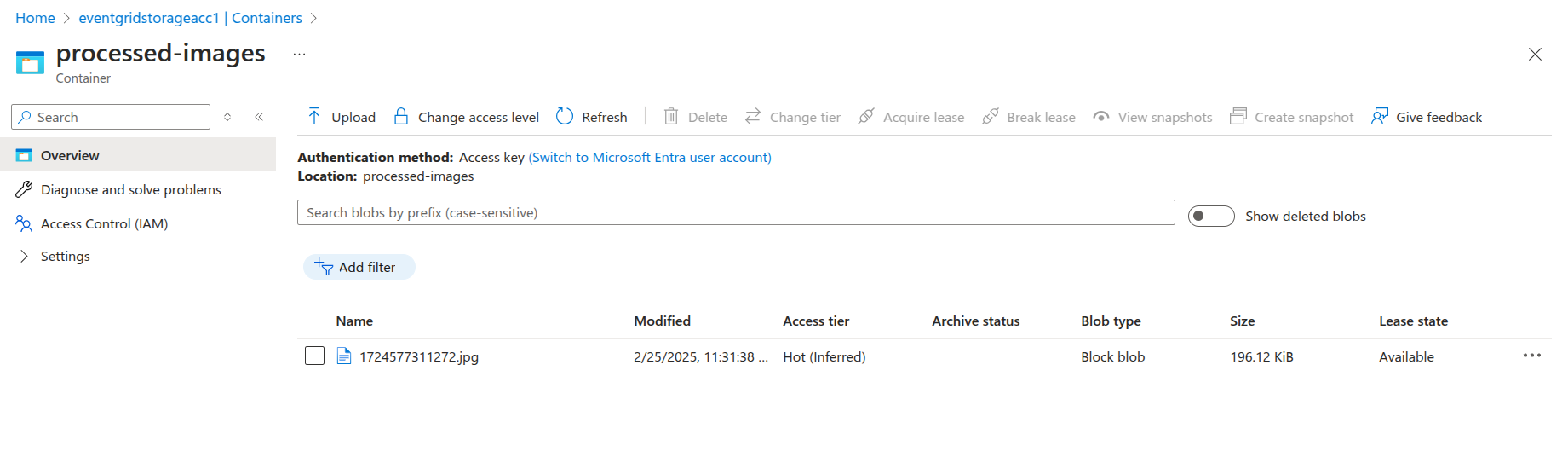
Step 9: Check the Processed Image
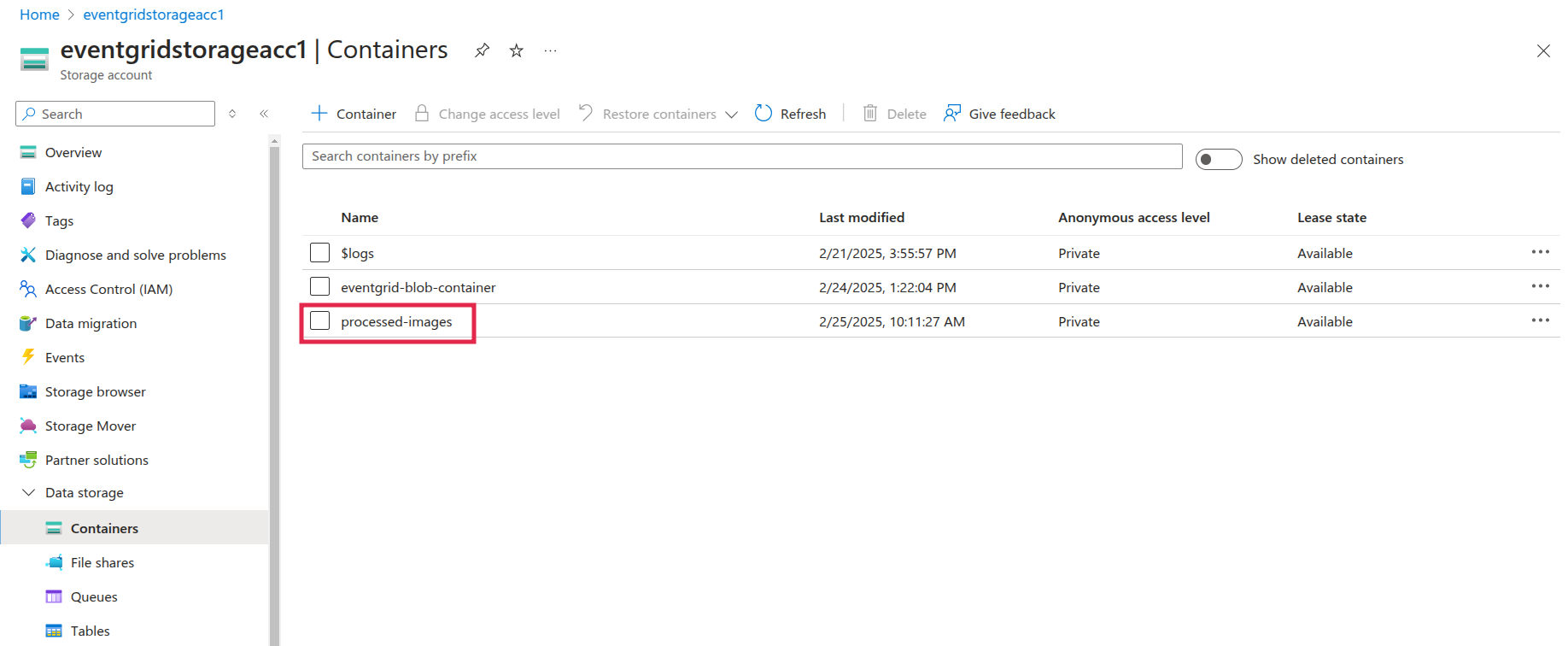
How It Works
When a user uploads an image to the Blob Storage container:
- The upload event triggers Event Grid.
- Event Grid sends a notification to the Event Subscription.
- The Event Subscription invokes the Azure Function (which resizes the image).
- The resized image is stored in a different Blob Storage container.
Benefits of Using Event Grid
- Real-time event processing: With Azure Event Grid, your application responds to events as soon as they occur, eliminating the need for polling.
- Reduced complexity: Event Grid simplifies event distribution, prioritizing focus on application logic rather than managing event handling.
- Serverless architecture: Only pay for triggered events without the need to manage servers, making it a cost-effective and scalable solution.
Challenges and Considerations
- Event Delivery Reliability: While Event Grid is highly reliable, it’s important to handle event failures properly using strategies like dead-lettering or retry policies.
- Event Filtering: Proper filtering helps reduce unnecessary load on event handlers. Subscribe only to the events an application needs.
Conclusion
Azure Event Grid provides an efficient, event-driven approach to building cloud applications. It simplifies event routing and enables real-time responses to changes. This blog explored how Event Grid can be integrated with Azure Blob Storage and Azure Functions to create a serverless, scalable image-processing pipeline.













