

When transferring an AWS account between two legally distinct entities, such as during a merger, acquisition, or divestiture, AWS requires a formal Consent to Assignment (CTA) process. This ensures service continuity, compliance with the AWS Customer Agreement, and preservation of operational control.
Attempts to transfer without a CTA risk breaching contractual obligations and exposing both parties to legal and operational challenges.
This guide explains how to submit a CTA request through the AWS Support Center to ensure a smooth and compliant account ownership transfer, in line with AWS’s security, legal, and contractual requirements.
What is AWS Consent to Assignment (CTA)?
A Consent to Assignment (CTA) is AWS’s formal approval process for transferring the legal ownership of an AWS account between two separate legal entities. It ensures that:
- AWS is formally notified of the change in legal ownership.
- The receiving party meets AWS’s eligibility criteria, including compliance, support plan coverage, and security responsibilities.
- All contractual obligations, as defined in the AWS Customer Agreement, are acknowledged and preserved.
- Both entities submit supporting documentation, such as acquisition agreements, letters of authorization, or legal confirmations.
- AWS can update its internal systems to reflect the new legal owner and maintain governance compliance.
CTA requests must be submitted through the AWS Support Center to receive formal consent, provided all criteria listed on the AWS Account Assignment Requirements page are met.
Steps To Submit an AWS Consent to Assignment Request
Follow the steps below to submit a Consent to Assignment (CTA) request through AWS.
Step 1: Access the AWS Support Center and Create a Case
- Log in to the AWS Support Center using the Root User credentials of the account to be transferred.
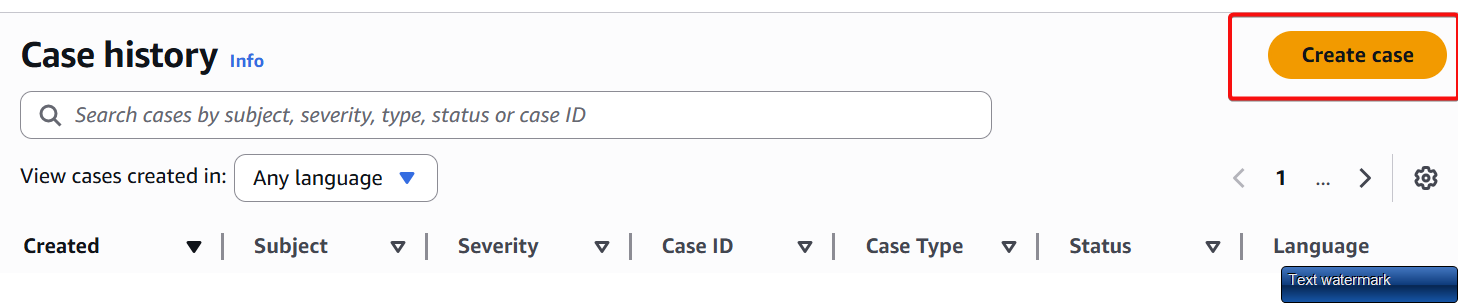
- From the dashboard, click “Create case.”
Step 2: Select ‘Account and Billing Support’
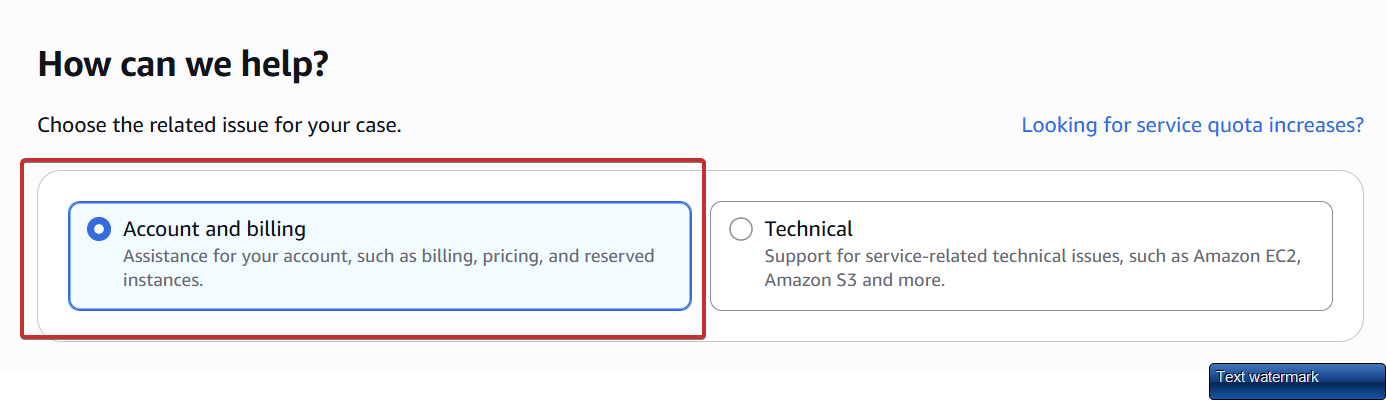
- After clicking Create case, a menu appears to select the issue type.
- Select “Account and billing” support from the available options. This directs the request to the AWS team responsible for account ownership and billing matters.
Step 3: Complete the Case Form with Required Details
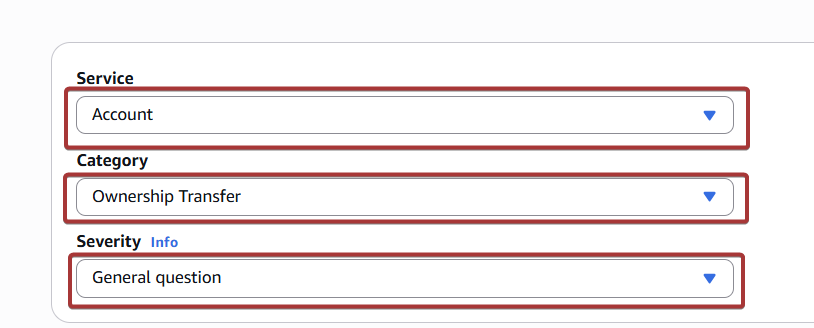
Select the following options in the case form:
- Type: Account
- Category: Ownership Transfer
- Severity: General Question
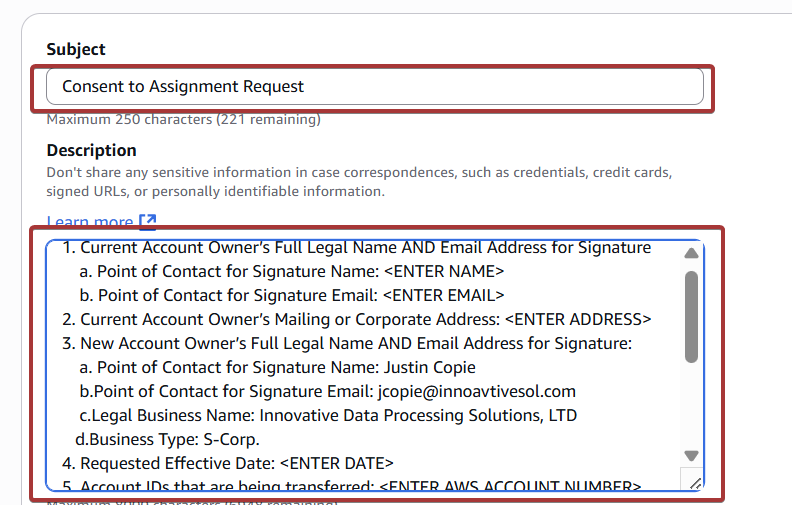
- Subject: Consent to Assignment Request
In the Description field, copy and paste the following information. Replace any placeholders as necessary.
1. Current Account Owner’s Full Legal Name AND Email Address for Signature
   - Point of Contact Name: <ENTER NAME>
   - Point of Contact Email: <ENTER EMAIL>

2. Current Account Owner’s Mailing or Corporate Address: <ENTER ADDRESS>

3. New Account Owner’s Full Legal Name AND Email Address for Signature
   - Point of Contact Name: <ENTER NAME>
   - Point of Contact Email: <ENTER EMAIL>
   - Legal Business Name: <ENTER LEGAL BUSINESS NAME>
   - Business Type: <ENTER BUSINESS TYPE (e.g., S-Corp, LLC)>

4. Requested Effective Date of Transfer: <ENTER DATE>

5. AWS Account ID(s) being transferred: <ENTER ACCOUNT ID(S)>

6. Is the current or new account owner a Public Sector customer? (Yes/No)

7. Location of the current or new account owner: <ENTER LOCATION (City, State, or Region)>

8. Are the accounts being transferred receiving Enterprise Support? (Yes/No)

9. Is the new account owner a Solution Provider or Distributor? (Yes/No)

10. Does the account have an online or offline Business Associate Agreement (BAA)? (Yes/No/N/A)
Step 4: Submit the Case
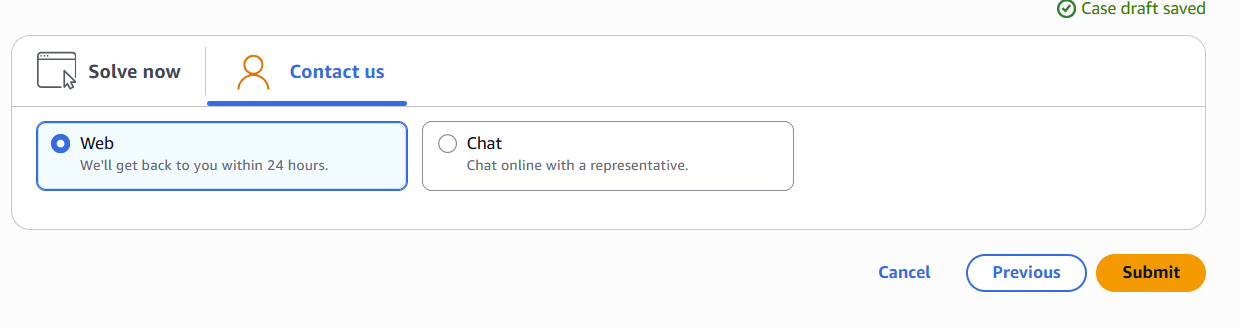
- Scroll down and choose “Web” as the contact method.
- Click Submit to send the request to AWS Support.
What Happens After You Submit the CTA Request?
After submitting the request, AWS Support will review the information and verify that all requirements are met. They may follow up with clarifying questions or request supporting documentation.
Once approved, AWS will provide written confirmation of the Consent to Assignment. This confirmation should be retained for internal records, as it verifies the legitimacy of the account ownership transfer.
Following approval, the account remains fully intact, preserving historical usage, billing data, resource configurations, and support entitlements under the new legal entity.
Best Practices for a Smooth Transfer
- Always use Root User credentials when submitting the case.
- Ensure legal names match official business records.
- Confirm enterprise support details and BAA status in advance.
- Document all communications and confirmations.
- Coordinate timelines carefully between both parties to align with the effective date.
Conclusion
AWS Consent to Assignment is a mandatory and formal step in transferring account ownership between entities. Following the abovementioned process and preparing accurate information in advance, your organization can complete the transfer with minimal delay and full compliance.














